Quick Answer: How To Turn 1 Instagram Post Into 10 With AI
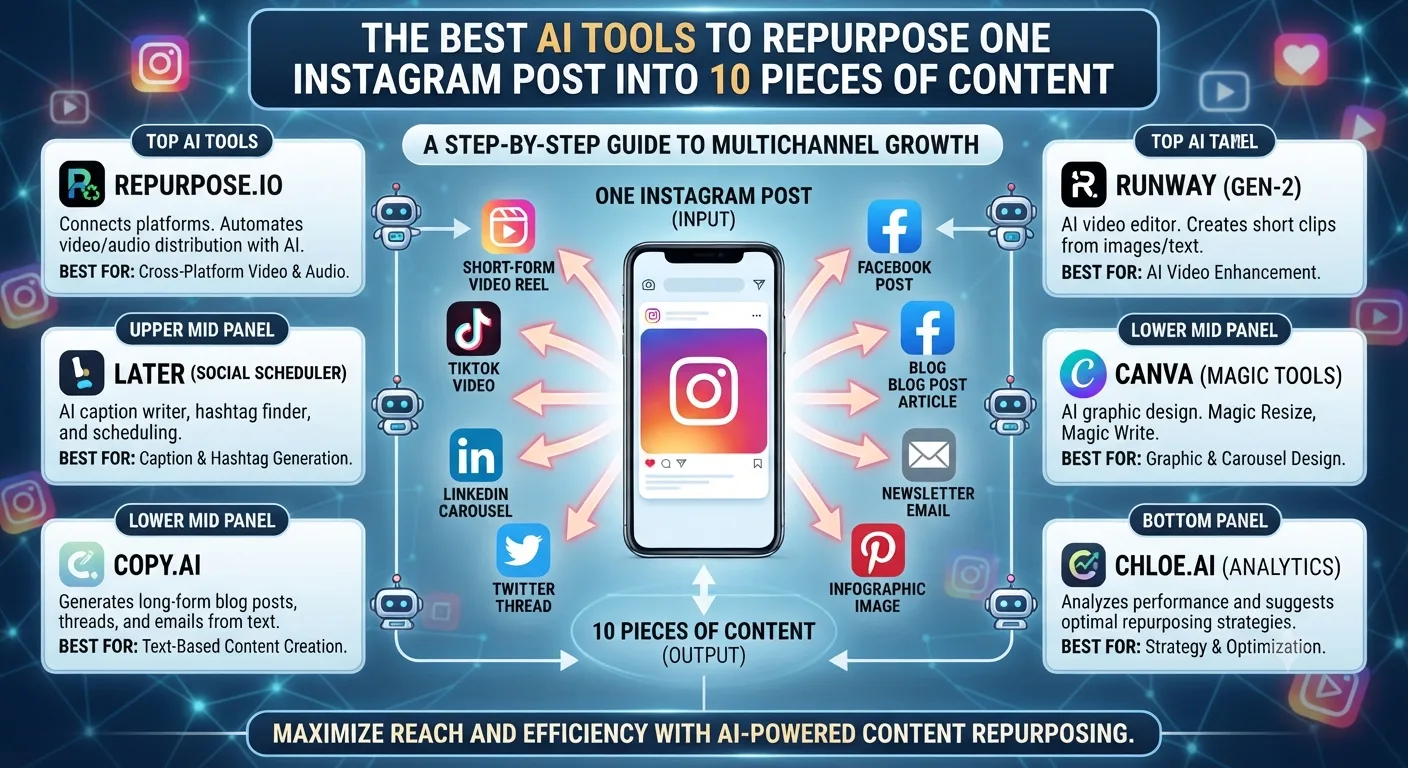
You can turn a single Instagram post into ten different pieces of content by prompting Claude or ChatGPT to change the original idea into a carousel post, a Reel script, a story series, a caption variation, a blog post, an email, a LinkedIn post, a Pinterest description, a YouTube short script, and a Broadcast Channel message. The whole process takes under two hours when you use AI to help you repurpose the post.
Content repurposing is one of the highest leverage activities any creator or business can participate in. Most people have months of content they've already created that could easily be turned into different formats and shared with different audiences. AI has made the process of content repurposing so quick and simple that the only real limitation is time. That is why I'm going to show you exactly what to do in the entire AI repurposing system, the specific tools needed for each step, and the prompts that actually work.
Why Content Repurposing Is Even More Important in 2026 Than Previous Years
Instagram's algorithm pushes different types of content in front of your audience at different times. A piece of content put out as a caption reaches one segment of your followers on the day it's posted. The same idea put out as a Reel reaches an entirely different segment of your audience in the discovery tab. A carousel post made from the same idea saves your most engaged viewers for last.
It's not just about getting more eyes on your content, though. Each different post type reaches a different combination of your audience. Putting one idea out in ten different formats means you're going to get that idea in front of your whole audience, not just the segment that happened to see a certain type of post on a certain day.
The Best Source Posts for AI Repurposing
Not all posts are worth repurposing. The posts that give you the most bang for your buck when it comes to repurposing efforts tend to have three things in common. First, they're useful or interesting to your audience in some way beyond a timely bit of information. Second, they pose a question or deal with a topic that's still relevant after the post is originally published. Third, they have enough meat to them that they can be stretched into different formats without coming off as thinly veiled self promotion.
Your best posts to repurpose are almost certainly your best posts overall. They've already proven themselves to be valuable to your audience in some way, so there's no reason to think expanding on those ideas won't be valuable as well.
The 10-Piece Repurposing System
Piece 1: The Original Caption Post
You already have this, as it's the post you're going to be repurposing. Use this post as the brief for all other posts in this series.
Piece 2: Carousel Version
Use Claude to turn your caption post into a 7-slide carousel. Prompt: "Turn this Instagram caption into a 7-slide carousel. Slide 1 shows the hook. Slides 2-6 explain the post's key points in detail. Slide 7 has a summary with a save prompt."
Piece 3: Reel Script
Use ChatGPT to turn the same post into a 30-second Instagram Reel script. Prompt: "Write a 30-second Instagram Reel script about this topic. The hook should come in the first 3 seconds, the post should have 3 key points, and end with a question for the viewer to comment on."
Piece 4: Story Series (5 Slides)
Tell Claude to turn the original post into a 5-part story series. Each story should have a hook to get you to the next one. End the fifth story with a poll sticker question.
Piece 5: Caption Variation
Have ChatGPT come up with a completely different caption about the same topic. Same hook, different presentation or tone. Post this a week later as fresh content about the same topic.
Piece 6: Long-Form Blog Post
Turn the Instagram caption into a 1,200-word long-form blog post with Claude. The Instagram caption should be the intro, each key point in the caption should be an in-depth section, and an FAQ with 5 questions related to the post should be the outro.
Piece 7: Email Newsletter
Ask Claude to turn the original post into an email newsletter. Prompt: "Rewrite this content as an email newsletter. Keep the tone casual, put in around 200-300 words, have one takeaway, and include a link to the original Instagram post."
Piece 8: LinkedIn Post
LinkedIn users like a slightly more professional take on the same concepts. Ask Claude to rewrite the original post for a more professional or business-focused audience. LinkedIn posts should ideally be between 150-250 words, no links in the post itself if possible.
Piece 9: YouTube Short Script
This one is similar to the Instagram Reel, only slightly more optimized for YouTube's short-form video algorithm. Use ChatGPT to make a 45-second YouTube short script. Make sure the title asks the question your audience is looking for.
Piece 10: Broadcast Channel Message
Your Broadcast Channel subscribers like to feel special, so share the original post's key insight in a short message to them as your exclusive preview of the post. Use this prompt in Claude: "Write a short Broadcast Channel message about the key insight from this post in a personal and conversational tone. Keep it to 3-4 sentences max."
The Tools That Make This All Possible
Claude for Writing Quality Pieces
Claude is best for the pieces that call for a more nuanced or personal touch, such as the carousel post or long-form blog post. It's also great for email newsletters if you want to keep the tone of the whole campaign consistent throughout every piece. Brief it once in the beginning with your brand voice document, and it'll keep using that same tone for everything you ask it to do in that session.
ChatGPT for Speed and Simple Variations
If you're looking for something quick, simple, and with plenty of variations to choose from, go with ChatGPT. It's especially good for captions and other short-form pieces where you just need something catchy and memorable. You can get five completely different hooks out of it faster than any other tool.
Descript or CapCut AI for Video Repurposing
If you're actually planning on making the Reel or YouTube short from the scripts you've created, Descript can turn a single video into dozens of different variations for you. It has built-in auto-captions and speed editing features that let you remove all the filler words from your script.
Canva AI for Visual Repurposing
Canva has a Magic Design tool that lets you take a single image or post and turn it into a carousel of slides, a story series, or a LinkedIn banner. It's the fastest way to repurpose visual content if you don't have access to other editing tools.
How Long the Whole Process Takes
The whole process takes about two hours for the first time you do it on a post. You spend an hour creating the ten pieces of content with the help of AI, 30 minutes personalizing and editing each piece, and 30 minutes actually publishing everything.
As you get more comfortable with the process, though, it'll come quicker. I find that after my third or fourth time using this system, I'm able to go from post to published content in anywhere between 60 and 90 minutes.
A Full Repurposing Monthly Strategy
Pick your four best Instagram posts from the last month and turn each of them into ten pieces of content. That gives you 40 pieces of new content for the month based on content that's already proven itself to your audience. Combine that with whatever new content you're able to create on your own, and you should be able to post every single day across multiple platforms without burning yourself out.
Key Takeaways
A single Instagram post can be repurposed into ten pieces of content across various formats and platforms each targeting a different segment of your potential audience through different distribution channels.
Claude excels at writing high-quality and brand-consistent long-form repurposed pieces such as blog posts and email newsletters whereas ChatGPT is faster at generating variations, shorter pieces, and multiple hook options.
The carousel, Reel script, story series, and Broadcast Channel message represent the four highest-yield repurposed pieces for Instagram-specific audience growth.
The full ten-piece workflow takes less than two hours to complete and becomes faster with each repurposing session as the prompts and process evolve.
Repurposing your four best monthly posts creates forty additional content pieces each month using proven audience-engaging material that requires no additional thinking or ideation.
Frequently Asked Questions
Will my audience realize I'm repurposing the same post?
Not if the repurposed pieces take significantly different formats and approaches as the carousel and the Reel script both covering the same post's ideas will feel different to consume. Furthermore, these two formats target different segments of your potential audience with little overlap despite using similar content and only start to be repetitive when variations target the same audience within a short timeframe.
How far apart should I space out repurposed versions of the same content?
Space out the repurposed versions by format category as opposed to chronological order with the carousel piece being posted a few days after the original, the caption variation getting a two-three month gap to avoid audience fatigue, and the blog post, email, and LinkedIn versions utilizing different distribution channels to avoid repetition on a single platform with no specific timing requirements.
Can AI repurposing tools replace original content creation entirely?
Not without a significant dilution of quality as repurposing focuses on extracting value from existing high-quality content and not discovering new ideas, angles, and information. The entire repurposing process is a complement to one's original content creation efforts and should be used as a multiplier for one's best work rather than a replacement for one's regular writing schedule.
Which repurposed version of my post will get me the most new followers on Instagram?
The Reel script turned into a video will generate the best "New Follower" growth for most creators on Instagram due to the platform's algorithm promoting such content to a broad audience beyond one's followers. The carousel version will get the most saves from one's existing followers but offer little follower growth. Both should be used depending on one's immediate goals with the Reel version generally being more valuable.
Is it worth it to repurpose old content or should I only use recent posts?
It is generally more valuable to base the repurposing efforts on evergreen content as opposed to time-sensitive pieces as the former has already proven its ability to engage and inform one's audience. Eighteen-month-old posts with search traffic or saves can represent a valuable source of evergreen content that can be reformatted for modern platforms and updated slightly to reflect current trends and facts.