Few things are more frustrating for a creator or brand than watching their reach suddenly collapse with no explanation. You are posting the same content, using the same hashtags, at the same time, but your impressions have dropped by 50 to 80 percent. New followers have almost stopped. Hashtag performance is flat.
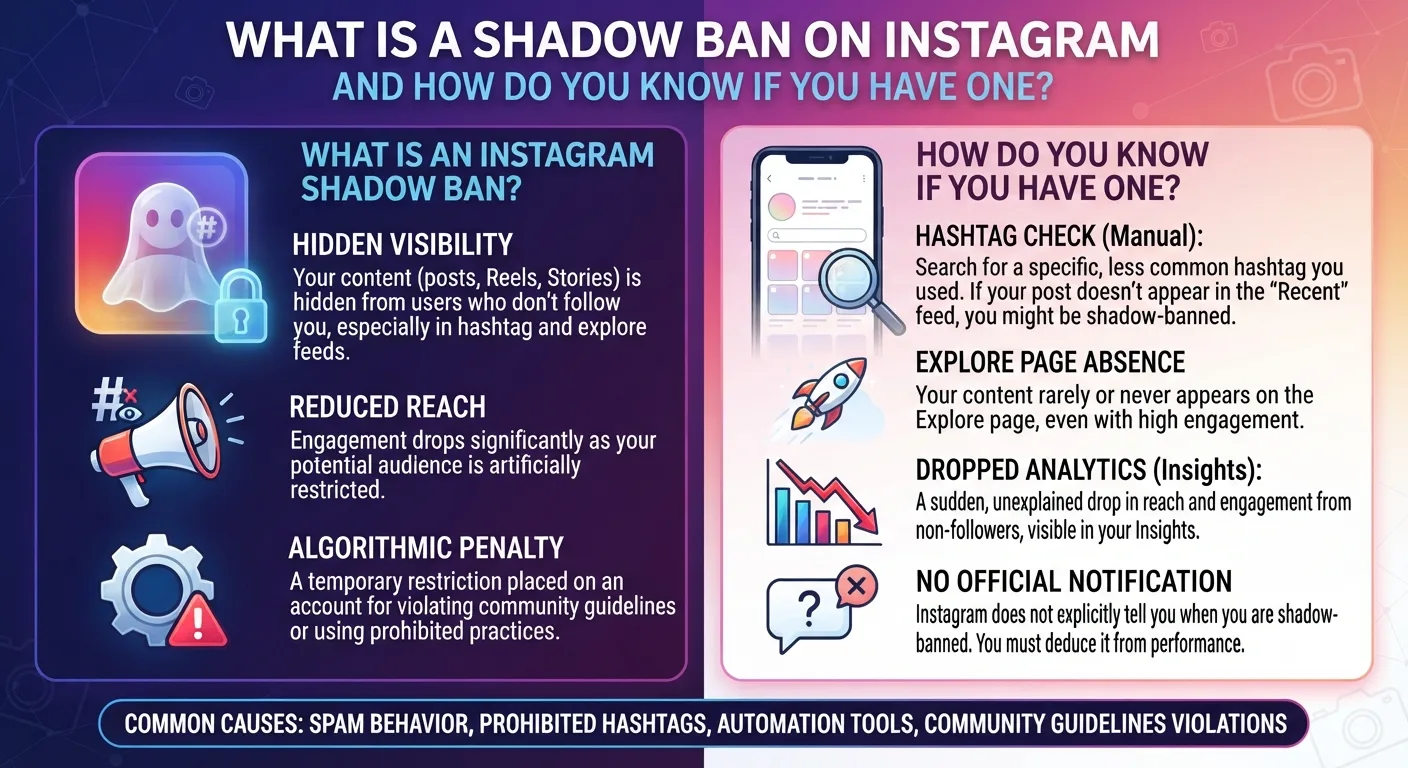
This pattern is often described as a shadow ban, and while Instagram does not officially use that term, the underlying mechanism it describes is real, documented, and something the platform has directly acknowledged. Here is exactly what is happening, how to confirm it, and how to get out of it.
What Instagram Actually Calls It
Instagram does not use the phrase shadow ban in its official communications. Instead, the platform uses terms like "content distribution limit" or "account status restriction." In 2021, Instagram launched the Account Status feature within settings, which gives users a direct way to see whether their account has any active restrictions on content distribution.
So while the terminology is different, the effect that creators call a shadow ban is a real, acknowledged feature of how Instagram manages accounts that have triggered its moderation systems.
What Causes a Shadow Ban on Instagram
Using Banned or Restricted Hashtags
Instagram maintains a list of hashtags that have been restricted or banned, usually because they have been associated with spam, harassment, or policy-violating content in the past. Using a banned hashtag in a post can cause that post and sometimes subsequent posts to be removed from hashtag discovery entirely.
The tricky part is that many banned hashtags appear harmless on the surface. Common words and phrases have been restricted at various points due to coordinated misuse. Always check whether a hashtag is active and unrestricted before using it by searching for it on Instagram and confirming the Recent tab is visible.
Violating Community Guidelines
Any content that Instagram's system flags as violating community guidelines can trigger a distribution limit, even if the content is not removed outright. Instagram increasingly uses automated detection alongside human review, and false positives occur. A post that Instagram's system misidentifies as problematic can still result in reduced reach even if a human reviewer would have approved it.
Using Third-Party Automation Tools
Instagram's terms of service prohibit using unauthorized third-party tools to automate actions like following, unfollowing, liking, and commenting. Accounts that use automation tools are at significant risk of receiving account-level distribution restrictions. Instagram's detection systems have become sophisticated enough to identify automation patterns even at relatively low volumes.
Sudden Changes in Posting Behavior
Posting dramatically more content than usual over a short period, changing from one niche to another abruptly, or engaging in high-volume interaction activity can all trigger Instagram's spam detection systems and result in temporary distribution limits.
How to Check If You Are Shadow Banned
Method 1: Check Your Account Status in Instagram Settings
Steps to Check Account Status
- 1Open Instagram and go to your profile page.
- 2Tap the three lines in the top right corner to open the menu.
- 3Select Settings and Privacy.
- 4Scroll down and tap Account Status.
- 5Review the distribution status for your account and any flagged content. Instagram will tell you directly if any restrictions are active.
Method 2: Test Your Hashtag Visibility
Post a piece of content using a niche hashtag with moderate volume. Then ask someone who does not follow you to search for that hashtag and check whether your post appears in the Recent tab. If your post is invisible to non-followers in hashtag results despite being recent, your content distribution is being restricted.
Method 3: Monitor Reach Metrics in Insights
In your account insights, check the breakdown of how your reach is being generated. A sudden drop in reach from hashtags or Explore combined with stable reach from followers is a clear signal of distribution restriction. If your total reach has fallen by 40 percent or more without any change in your content quality or posting schedule, a shadow ban is one of the most likely explanations.
How to Fix a Shadow Ban on Instagram
There is no single button that removes a shadow ban, but there are actions that consistently help accounts recover.
Stop all activity for 24 to 48 hours. Taking a complete break from posting, liking, commenting, and following gives Instagram's systems time to reset. This sounds counterintuitive but it is consistently reported as one of the most effective first steps.
Remove any banned hashtags from recent posts and audit all the hashtags in your recent content. Replace any that are restricted with clean alternatives. Switch to the 3 to 5 targeted hashtags approach going forward rather than large stacks.
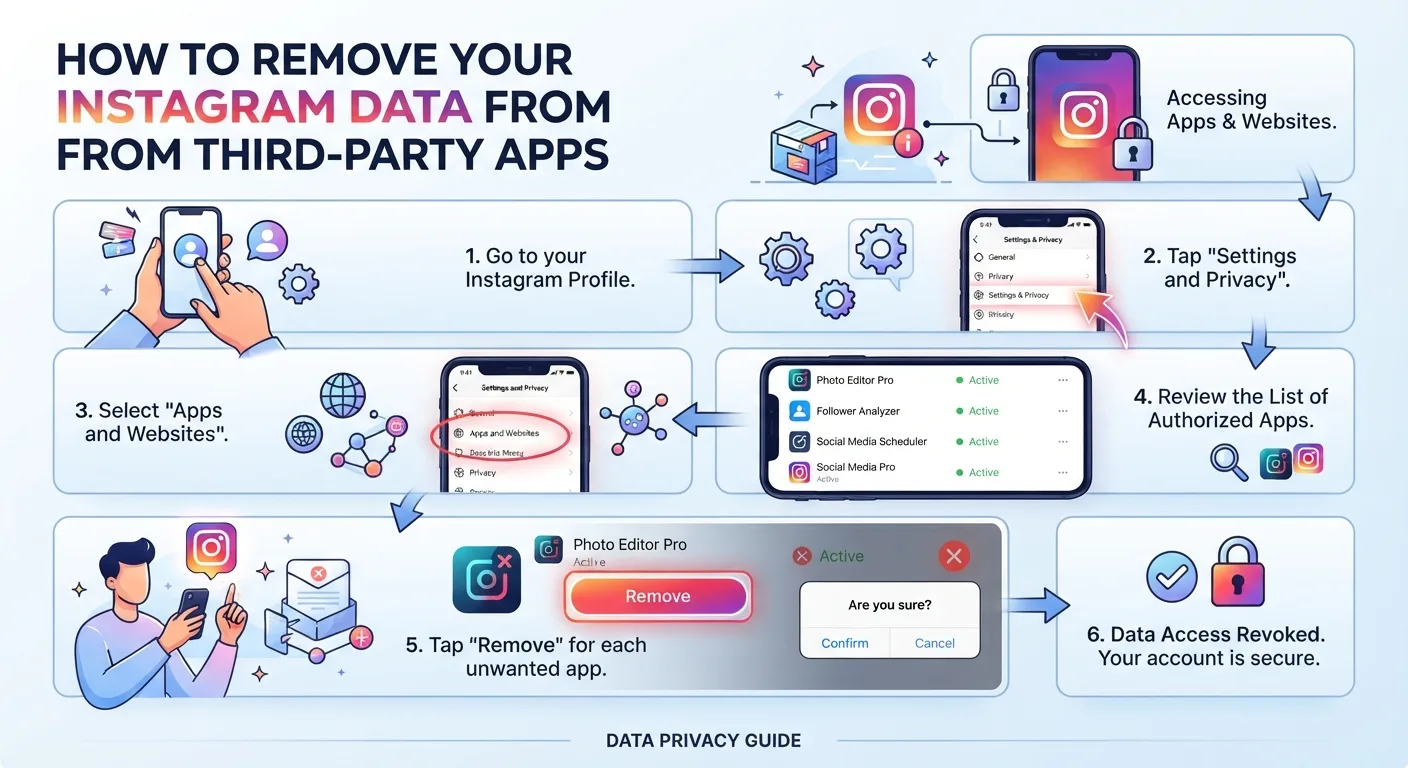
Disconnect and revoke access for any third-party apps connected to your Instagram account. Go to Settings, Security, then Apps and Websites to see every authorized connection and remove anything you do not actively use or recognize.
If you received a notification about a specific piece of content, address it directly. Delete the flagged content if necessary and appeal the decision through Account Status if you believe it was incorrectly flagged.
How to Avoid Being Shadow Banned in the Future
Post consistently but not frantically. Sudden spikes in activity are more likely to trigger spam detection than steady, predictable posting patterns.
Engage authentically. Commenting meaningful responses rather than single words or emojis, and following accounts you genuinely have an interest in, keeps your behavior pattern looking human rather than automated.
Review Instagram's Community Guidelines periodically. The rules change and content that was acceptable last year may violate current policies. Staying current reduces the risk of accidental violations.
Key Takeaways
- Instagram calls it a content distribution limit rather than a shadow ban, but the mechanism creators describe is real and officially acknowledged.
- Common causes include banned hashtags, community guideline violations, third-party automation tools, and sudden spikes in posting activity.
- Check your Account Status in Instagram Settings for an official view of any active distribution restrictions on your account.
- Testing hashtag visibility with a non-follower is the fastest manual way to confirm whether your content is being suppressed.
- Recovery involves taking a posting break, auditing and replacing banned hashtags, and revoking unauthorized third-party app access.
- Most accounts recover within 2 to 4 weeks of consistent, policy-compliant behavior after addressing the root cause.
Frequently Asked Questions
Does Instagram tell you if you are shadow banned?
Not directly using that term. Instagram's Account Status feature in settings will tell you if your account has an active content distribution limit or if any specific posts have been flagged. Check this first before assuming a shadow ban based on reach drops alone.
How long does an Instagram shadow ban last?
Temporary restrictions typically lift within 24 to 72 hours if triggered by a single minor issue. Account-level distribution limits linked to repeated violations or third-party tool use can last 2 to 4 weeks. Recovery time depends on the severity and frequency of the triggering behavior.
Can you get shadow banned just for posting too much?
Posting at an unusually high frequency can trigger spam detection systems. The threshold varies but a sudden jump from posting once a day to ten times a day is the type of behavior pattern that can attract automated scrutiny.
Does deleting and reposting a shadow banned post help?
Not reliably. If the restriction is tied to your account rather than a specific post, reposting the same content will not remove the restriction. If the restriction was triggered by a specific piece of policy-violating content, deleting that content and posting something else may help accelerate recovery.
Can you appeal a shadow ban or content distribution limit on Instagram?
Yes. Through Account Status in your settings, you can request a review of any flagged content or restriction. Instagram does review appeals and has reversed incorrect restrictions. The process can take several days and there is no guarantee of reversal, but submitting the appeal is always worth doing if you believe the restriction was applied incorrectly.