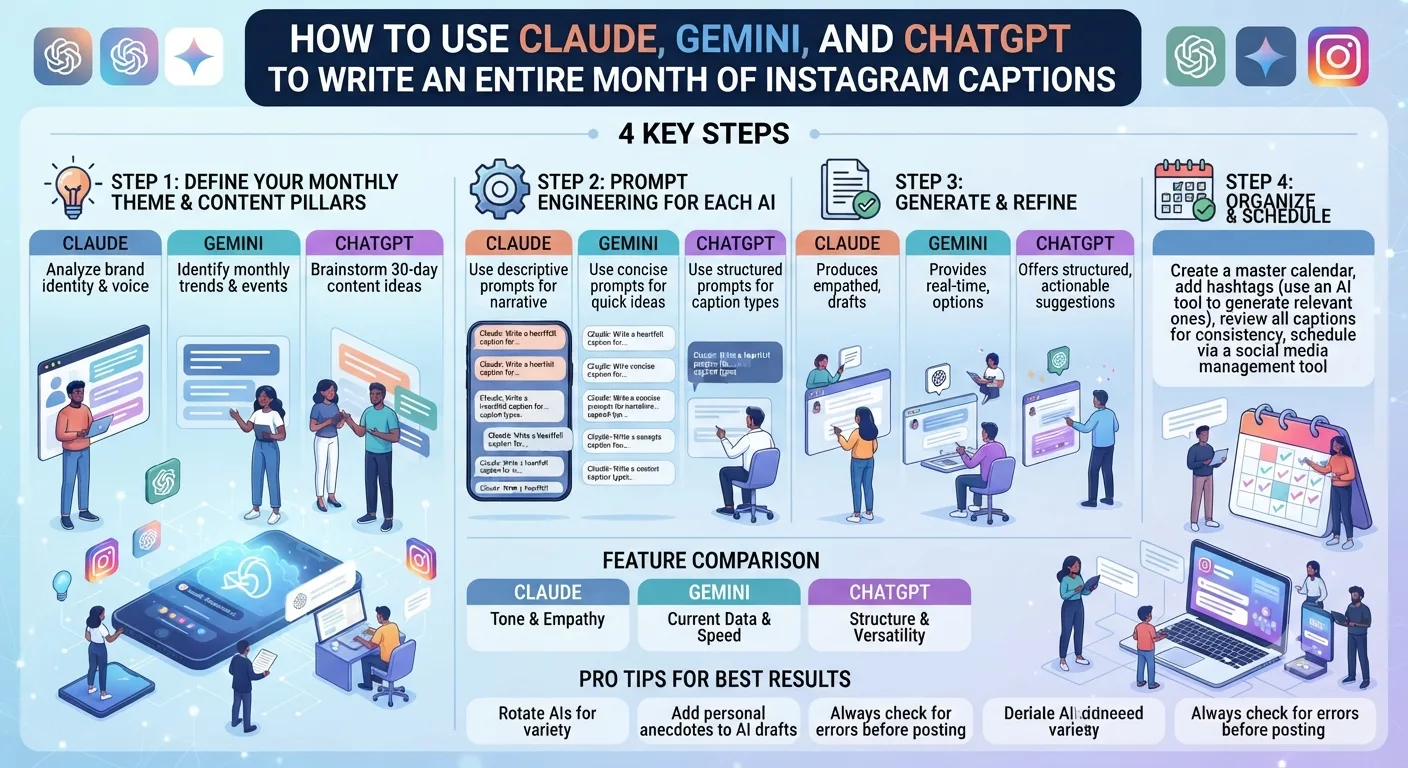
Writing 30 days of Instagram captions is a task that used to take a week. With the right AI workflow, it takes an afternoon. The key is not just picking one AI tool and prompting it 30 times. It is understanding what each major AI tool does best and routing each task to the right tool.
Claude, Gemini, and ChatGPT are not interchangeable. Each has a distinct strength that fits a specific part of the caption-writing process. This guide breaks down exactly how to use all three together for a complete, polished month of content.
Step 1: Use ChatGPT to Build Your Monthly Content Framework
Before writing a single caption, you need a structure that ensures your 30 days of content is varied, strategically balanced, and aligned with your content pillars. ChatGPT is the strongest tool for this planning stage because of its speed and its ability to generate structured frameworks on demand.
The Prompt to Use in ChatGPT
"I run an Instagram account in the [your niche] space. My target audience is [describe your audience]. My content pillars are [list 3 to 4 content types you post]. Create a 30-day Instagram content calendar with one post per day. For each day include: the content pillar, a post topic, a suggested caption angle, and a call to action. Format it as a numbered list."
ChatGPT will return a structured 30-day plan in under a minute. Review it, adjust any topics that do not fit your current strategy, and use this as your brief for the next step.
Step 2: Use Claude to Write First Drafts With Brand Voice Accuracy
Once you have your 30-day content brief, Claude is the strongest tool for turning each brief into a full caption draft. Claude's advantage over the other tools is its ability to hold tone consistently across a long writing session and its sensitivity to nuance in brand voice.
The way to get the best output from Claude is to front-load it with brand context before you start drafting captions. Do this once at the start of your session.
How to Brief Claude on Your Brand Voice
"Before we start writing captions, I want to give you my brand voice guide. My brand voice is [describe your tone: warm, direct, educational, playful, etc.]. My audience is [describe them]. Here are three examples of captions I consider on-brand: [paste three real captions]. Words and phrases I use often: [list them]. Words I never use: [list them]. Please confirm you understand this voice before we begin."
After Claude confirms, feed it one day at a time from your ChatGPT content brief. For each day simply say: "Write a caption for day [X]: topic is [topic], angle is [angle], CTA is [call to action]."
Working through 30 days with this method takes approximately 60 to 90 minutes. Because Claude retains your brand brief throughout the session, you do not need to repeat your voice instructions for each caption. The consistency across the 30 drafts is significantly better than prompting each caption cold.
Step 3: Use Gemini for Research-Backed and Trend-Referenced Captions
Gemini's key advantage over Claude and ChatGPT is its integration with Google Search, which means it can pull current information, recent statistics, trending topics, and real-world data directly into its responses. For captions that need to reference a recent development, a current trend, or a credible statistic, Gemini produces more accurate and up-to-date content than the other tools.
Identify the captions in your 30-day calendar that would benefit from a data point or current reference, such as trend-based posts, educational content, or industry news reactions. Route those specific captions to Gemini.
Sample Gemini Prompt for a Data-Backed Caption
"Write an Instagram caption for a [your niche] account about [topic]. Include one current statistic or recent data point about this topic from a credible source. The tone should be [describe tone]. End with a question to encourage comments. Keep it under 150 words."
Gemini will search for and include a relevant, current data point. Always verify the statistic independently before posting, but in most cases Gemini's research-backed captions are accurate and save you the time of finding data yourself.
Step 4: Edit and Batch All 30 Captions in One Session
Once you have drafts from Claude and Gemini, consolidate everything into one document, ideally your content calendar in Notion or a simple spreadsheet. Do a single editing pass across all 30 captions rather than editing each one individually as you go.
In the editing pass, look for three things. First, check that every caption ends with a clear call to action or conversation starter. Second, read the captions in sequence to make sure the tone is consistent and that no two consecutive captions use the same opening structure. Third, add any personal details, specific examples, or real experiences that only you could write, because these are the elements that make AI-drafted captions feel genuinely human rather than generated.
How Long Does the Full Process Take?
Total time is approximately two and a half to three hours for a complete, polished, edited month of Instagram captions. Compared to writing one caption per day, this approach saves most creators three to five hours of work per week.
Common Mistakes to Avoid When Using AI for Captions
Using all three tools without differentiating their roles wastes time because you end up with redundant output rather than complementary strengths. Assign each tool its specific function and stick to it.
Skipping the brand voice briefing is the most common mistake. Without it, AI captions read generically and require heavy editing that eliminates the time advantage. A well-briefed Claude session takes a few extra minutes upfront and saves significantly more on the editing end.
Posting AI drafts without a personalization pass is the mistake that makes AI content obvious and disconnected. Even two or three sentences of personal experience or specific detail added to each caption transforms the quality and authenticity of the content.
Key Takeaways
- Use ChatGPT for building your 30-day content framework and structure. It is the fastest tool for planning at scale.
- Use Claude for writing first drafts that match your brand voice. Brief it once with examples and tone guidance before starting.
- Use Gemini for captions that need current statistics, recent trends, or data-backed claims thanks to its live Google Search integration.
- Batch all editing in a single pass after generating all 30 drafts rather than editing one at a time as you go.
- Always add personal details and specific experiences to each caption before publishing. This is the difference between AI content and authentic content.
- The full process takes roughly two and a half to three hours for a complete month of captions.
Frequently Asked Questions
Which AI tool writes the best Instagram captions?
Claude produces the most natural-sounding captions with the best brand voice consistency when given detailed instructions. ChatGPT is faster for volume. Gemini is strongest when current information or statistics are needed in the caption.
Will my audience know my captions are AI-generated?
Not if you edit them properly. AI drafts that include personal details, specific examples, and natural conversational elements are indistinguishable from human-written captions. Generic AI output without personalization is much easier to detect.
Can I use just one AI tool instead of all three?
Yes. Claude or ChatGPT alone can produce a full month of captions. Using all three optimizes for quality, speed, and accuracy in research-backed content. If you are new to AI writing tools, starting with one and adding others as you get comfortable is a sensible approach.
Does Instagram penalize AI-written captions?
No. Instagram does not detect or penalize content based on how the caption was written. The algorithm measures engagement signals like comments, saves, shares, and watch time rather than the origin of the text.
How do I stop AI captions from all sounding the same?
Vary your prompt structure for each caption. Specify different tones, different openings, different lengths, and different calls to action for different posts. Doing a sequential read of all 30 captions in your editing pass helps you catch repetitive patterns before they go live.