Quick Answer: On a private Instagram account, anyone who is not a follower cannot see your profile photo, account name, display name, bio, or follower/following counts, or how many posts you've made. They cannot see your posts, stories, Reels, or highlighted photos, or any photos you've been tagged in. Going private on Instagram does not make your account's profile hidden, only content you've posted is hidden.
Going private is one of the most common privacy measures, but many don't understand what exactly it does and doesn't do to protect your account. There actually is a surprising amount of information on your profile that would not be hidden by switching to a private account, and knowing what's still on display can help you make better decisions about your Instagram privacy.
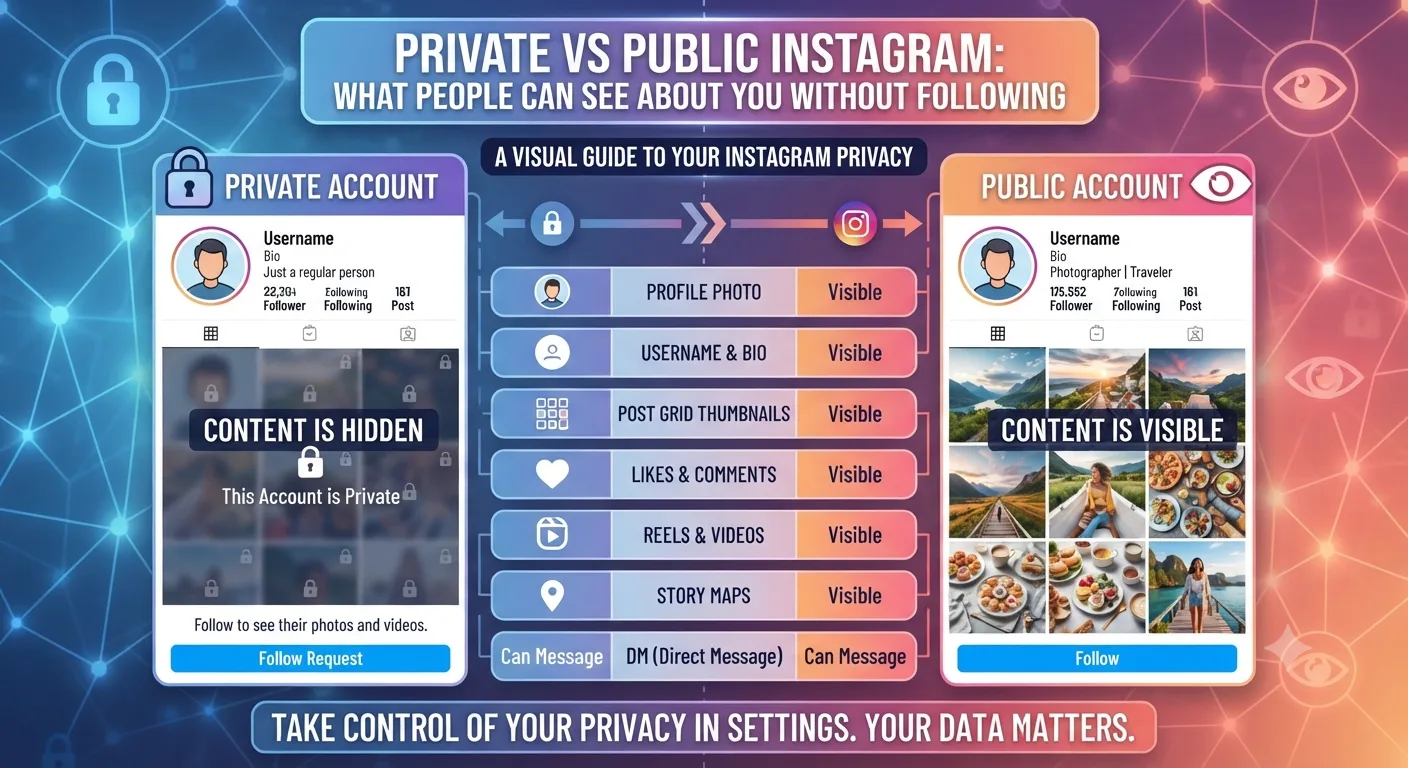
Here is a full list of every element of an account profile and how much of it users can see based on who they are.
The Full Visibility Breakdown by Account Type
Profile Element Public Account Private Account (Non-Follower) Private Account (Approved Follower)
Profile photo Visible Visible Visible
Username Visible Visible Visible
Display name Visible Visible Visible
Bio text Visible Visible Visible
Bio website link Visible, clickable Visible, clickable Visible, clickable
Follower count Visible Visible Visible
Following count Visible Visible Visible
Post count Visible Visible Visible
Feed posts and photos Visible Hidden Visible
Stories Visible Hidden Visible
Highlights Visible Hidden Visible
Reels Visible Hidden Visible
Tagged photos Visible Hidden Visible
Followers list Visible Hidden Visible
Following list Visible Hidden Visible
Account in search results Visible Visible Visible
Account in suggested users Maybe visible If you search, maybe visible Maybe visible
What Going Private Actually Protects
When you set your account to private, it puts every post, story, highlight, tagged photo, and your follower and following lists behind an approval wall; no one you haven't approved on Instagram can see anything you post or any of the content you've shared.
A private account protects your account from being found by anyone you haven't approved and prevents your content from being shared outside your circle of approved followers. You won't be suggested as a potential account to follow on the Discover page, and your content won't appear in hashtags, the Explore tab, or Reels' recommended hashtags.
What Going Private Does Not Protect
Someone searching for your profile on Instagram will still be able to find it, even if they're not following you, so going private doesn't hide your account on search results. Your followers list is not hidden, and anyone can look up your profile if they know your username or name on Instagram. It's also easy for someone to find your profile if they have your phone number or email saved on either Facebook or Instagram. If you want to stop people from finding your account, it's better to block them.
If you have a link embedded in your bio, it will still be visible and able to be clicked on, so be careful that your personal information and any links aren't sensitive if your account has been searched and found.
Your profile photo will also always be visible to anyone on Instagram, which many people don't know; going private does not make your profile photo private. It's important to remember that if your profile photo says anything else besides your own face, like a location, a company, or people, that it is visible to everyone who visits your profile, even if they're not following you.
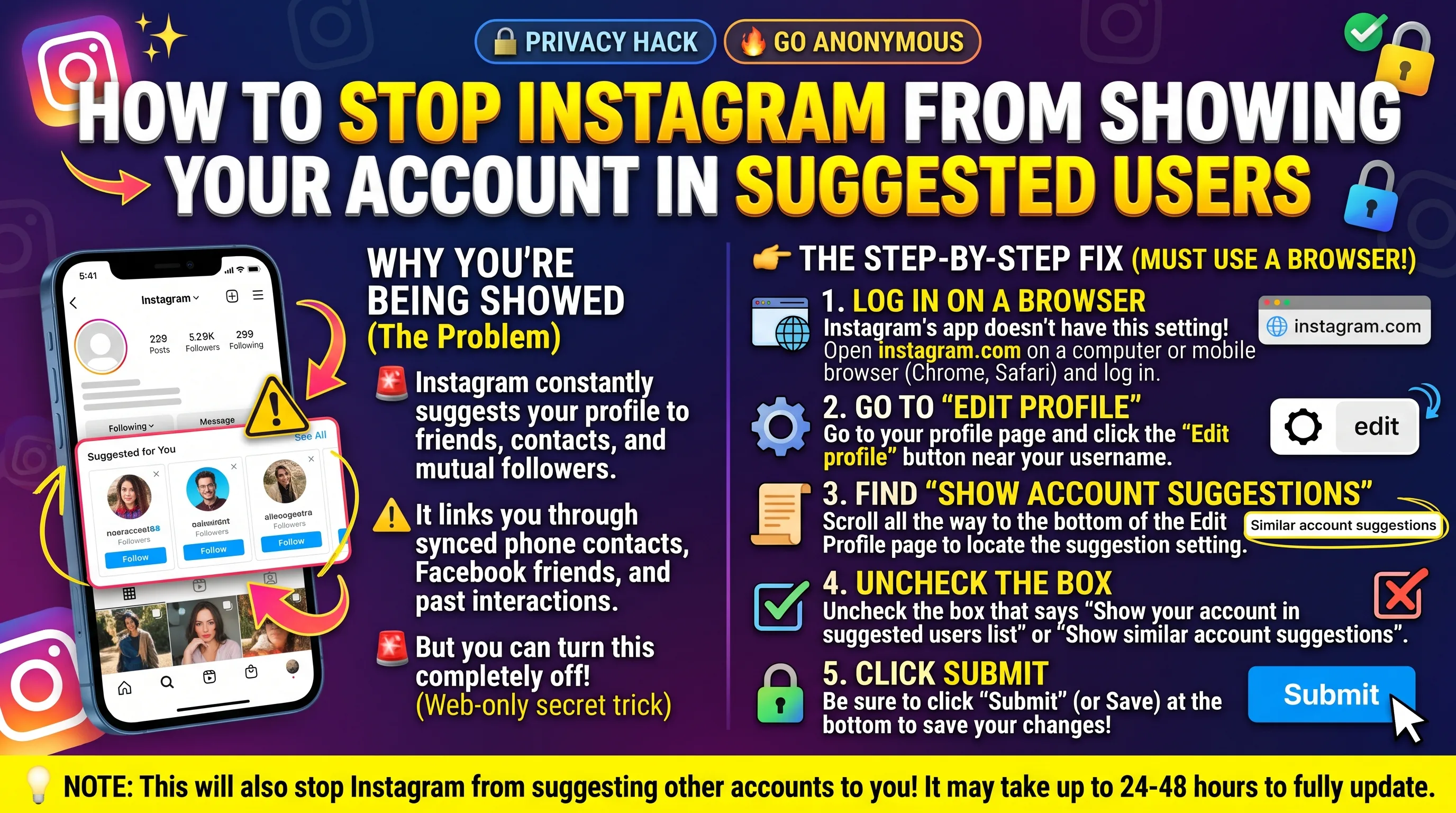
One of the most common misconceptions about private accounts is that your account won't show up on search results or be suggested as an account to follow if someone you know has your phone number or email on either Facebook or Instagram. The only way to stop this from happening is to go to Privacy and Settings > Suggested Accounts and turn off who can suggest your account.
What Many Privacy-Conscious Users Do
Many users want to have a balance of both being somewhat private while still being able to be found on Instagram, so they go private, turn off activity status, only accept tags from approved followers, and turn off suggested accounts. And use a minimal bio that doesn't disclose any personal information. It's a good balance of many people's privacy needs that don't want to be 100% hidden or need to use a separate anonymous account.
Does Going Private Affect Your Instagram Reach as a Creator?
Going private completely takes away any potential reach for creators who want to gain organic reach on their content. There is nothing to be gained for creators on a private account, so it's best suited to a personal account to maintain a relationship with your followers without the pressure of finding new people to follow you. If you're using your Instagram for any type of content creation, brand, or marketing, it defeats the purpose of trying to get your content in front of new people by going private.
A creator's best option is to have two separate accounts - one for general content consumption and one for your brand or marketing needs. It's impossible to grow an engaged audience while maintaining a private account on Instagram.
Key Takeaways
On private Instagram accounts, non-followers can still see your profile picture, username, display name, bio, website, number of followers, following, and total posts.
By switching your account to private, all your content, including posts, stories, reels, highlights, tagged photos, and your lists of followers and following, becomes unavailable to those who have not followed you.
Your private Instagram account is still visible in search engines and can be found by people who have your contact information through Facebook or Instagram’s contact sync feature.
The link in your bio on a private Instagram account is still accessible to anyone visiting your page, so ensure the link does not contain sensitive information.
Switching your Instagram Account to private is a measure privacy because it denies any unauthorized access to your content. However, it will restrict your account’s ability to appear on discover platforms, hashtags, and other methods of content distribution.
Using Instagram Private Accounts with Activity Statuses Off, Tags Approved, and Suggestions Off is the best option available.
FAQ
What can people see on a private Instagram without following?
People can see your profile picture, username, display name, bio, website, number of followers, following, and total posts. They will not be able to see your actual content, including your posts, stories, reels, highlights, and tagged photos. Additionally, they will not be able to view your followers or following. They would have to follow you to gain access to the restricted content on your private Instagram account.
What can people see on a private Instagram via Google?
People can see your basic Instagram profile page, which includes your username, profile picture, and bio, on Google if your Instagram account was public before switching to private. This is because Google indexes Instagram profile pages, and even if your account is now private, it may take some time for Google to update. Therefore, you might see your old public Instagram page on Google for months or years after switching your account to private. Furthermore, your Google search results may include some of your Instagram posts.
Does a private account hide your followers and following on Instagram?
Yes, a private Instagram account hides your followers and the accounts you are following on Instagram. However, a person can see how many people you are following and how many followers you have on a private account. Additionally, they will not be able to view your lists of followers and following unless they follow you.
Can a blocked person view your private Instagram account?
A blocked person cannot view your private Instagram account. Furthermore, they will not be able to find your account on Instagram search or view your content. Blocking is a more powerful tool than switching your Instagram account to private. It is recommended to block a person if you do not want them to see your private Instagram account in any capacity.
If someone takes a screenshot of your private post on Instagram, will you know?
No, you will not receive a notification if someone takes a screenshot of your private post on Instagram. Instagram cannot detect screenshots of private Instagram posts. A private Instagram post is only viewable by your approved followers. Therefore, anyone you follow or who follows you can screenshot your Instagram post, and you will not be notified.