Quick Answer: Instagram recommends accounts based on people you know, mutual followers, activity and interest.Whilst there is no ‘one-switch’ to remove your recommendations completely, you can limit how often you get recommended. This can be done by limiting how many people you sync with, checking the recommendations setting on your profile, adjusting your privacy settings and blocking certain people. As the names and options can change over time it is best to search in the settings using the search bar to find the correct options.
There are few things more creepy than finding out that someone you didn’t want to see has been recommended to you. Or finding out that someone you don’t know with your phone number can find you. People are shocked because they never asked to be recommended. The recommendation system is working behind the scenes using signals you may not even realise you are sending.
Honestly, whilst you can limit the amount of recommendations you get, you can’t completely remove them whilst keeping your account. Here’s why you’re getting them and what you can do.
Why Instagram Suggests Your Account
Contacts
If someone has your phone number or email address saved and synced, then Instagram may recommend your account to them and vice versa.
Mutual Connections
High indicators are shared followers and following. If someone follows the same people that you do or follows people you follow then they're likely to be recommended.
Similar Activity and Interests
Engaging with the same kinds of content as another user can lead Instagram to connect your accounts as likely to interest each other.
Profile Visits and Interactions
When people search for you, visit your profile, or interact with your content, those actions can feed into suggestions on both sides.
Steps That Reduce How Often You Appear
Practical Controls to Review
-
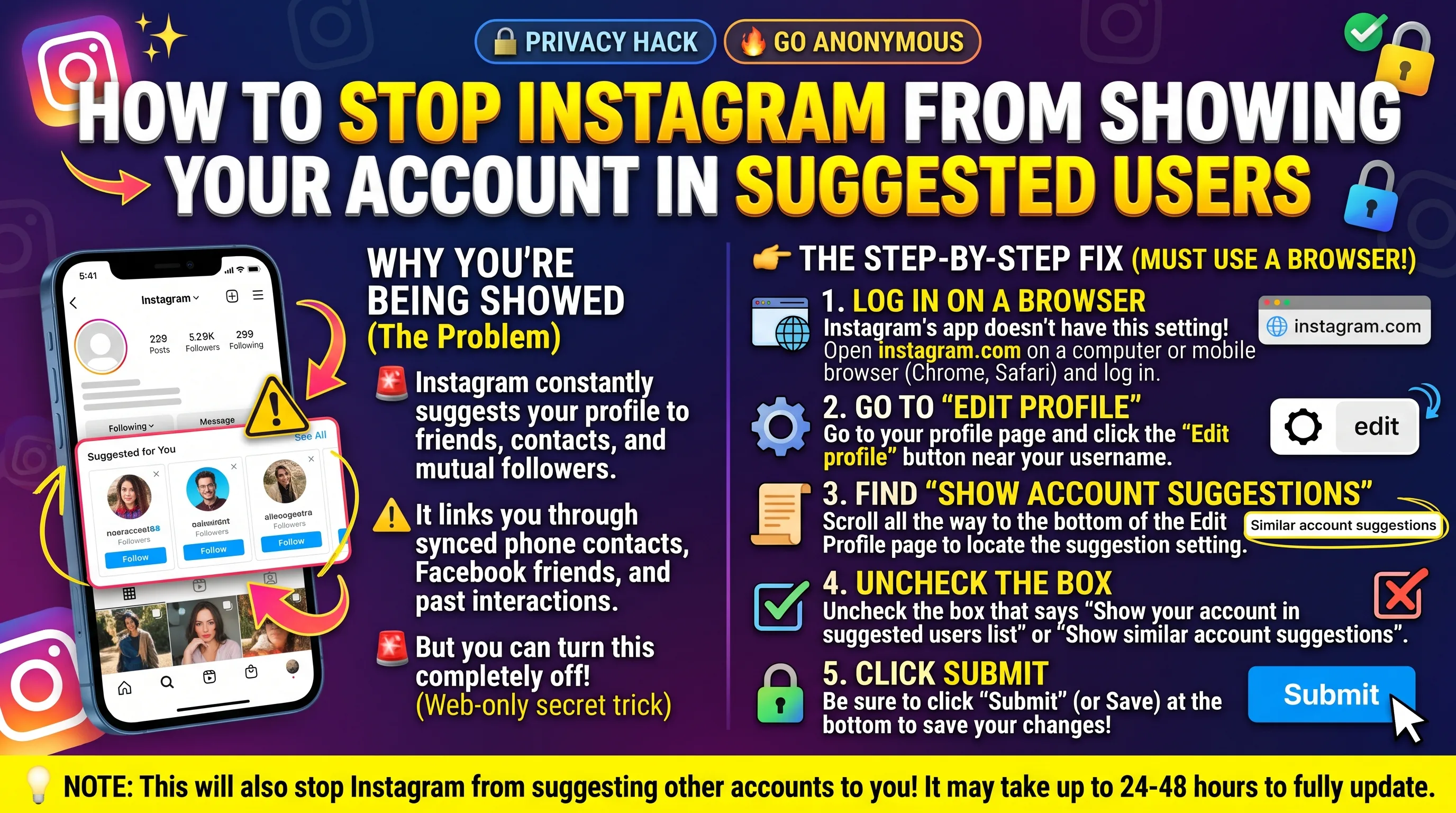
1. Open your profile and tap Edit profile. Look for an option regarding suggestions and decide if you would like to display suggested accounts. This may vary between apps so if you cannot find it, use the search bar in settings and search for suggestions.
-
2. Go to Settings and Privacy > Accounts Centre and look for an option regarding uploading contacts or managing contacts. Disable auto sync of contacts and delete any contacts Instagram has saved.
-
3. If it is appropriate for you, set your account to private. Whilst you will still show up in suggestions, people who find you will not be able to view your posts unless they have your approval.
-
4. Block any specific people. This is the best way to ensure a specific person cannot find your account. They will not be able to view your profile whilst logged in.
-
5. Check your contact details in your bio and business profile. If you have given an email address or phone number this can be used to find and connect with you.
-
6. Check your activity and tagging settings to ensure you are not giving away more information than you would like to.
What These Controls Cannot Do
No matter what settings you use, you cannot guarantee you won't be suggested to. Mutual connections and activity still happen. The other person can sync their own contacts meaning they may still link your number to your account. If you have a phone number and/or email that are public then it will be harder to avoid.
The best way to make sure you stay safe and avoid someone you don't want to see (such as an ex or someone who has harassed you) is to block them. Use a username that doesn't include your real name, avoid using a phone number and/or email they know and keep your account private with an approved list of followers. Instagram also have a help centre and reporting tools.
If you have a public account for your business or as a creator this is part of the platform helping you reach new audiences. Most of these settings will only be useful if you have a personal account. As a creator it is usually a positive thing to be suggested to people.
Expect changes. Instagram frequently updates their settings and wording. If you can't find a setting mentioned in this guide, use the search bar at the top of the settings screen. Search for words like ‘suggestions’, ‘contacts’ or ‘discoverability’
Key Takeaways
-
Instagram suggests accounts based on contacts, common connections, similar activity and profile interactions. There isn’t one setting to disable all of these.
-
Reducing the number of contacts you sync will reduce suggestions based on your contacts. Removing saved contacts will also help.
-
Checking the account suggestion setting, keeping your bio to a minimum and using a private account will all help.
-
The most reliable way to stop someone finding your profile is to block them.
-
The names and places of the settings can change so use the search bar in settings to find the correct setting.
Frequently Asked Questions
Can I completely stop Instagram from suggesting my account?
Not entirely. You can reduce it by turning off contact sync, increasing your privacy and blocking certain users, but you will still be suggested to those who are mutuals or have activity with you. There is no option to completely remove suggestions.
Why was my account suggested to someone I do not know?
This can often be because you have mutual followers, similar interests or their contacts have your phone number or email address. Instagram will not tell you the exact reason why you were suggested to follow them.
Does a private account stop me from being suggested?
No. If your account is set to private you can still be suggested, but people who find you will not be able to see your posts, stories or follower lists unless you approve them. The private setting will just decide what they can see.
How do I stop someone specific from finding my account?
Block their account. This means that when they log in they can't view your profile. However, if they have a public account they can still view public posts when not logged in. To make it more secure you can block them and set your account to private.
Will turning off contact syncing delete what Instagram already has?
Disabling syncing will stop any new uploads going through. If your version of the app allows you to, you'll need to go into your contact settings on Instagram to delete any previously uploaded contacts.