Quick Answer: You can see who a public Instagram account follows by visiting their profile and tapping their Following count, no follow relationship required. If you want to look at who someone follows without appearing as a profile visitor in their analytics, an anonymous Instagram viewer tool will show you public following information about any account without logging in or leaving a trace.
Looking up who someone follows is one of the most common types of social research done on the platform, whether that's investigating a public figure's professional network, looking at what brands follow each other, or being curious about who someone's friends are.
It has always been possible to review a public account's following without any follow relationship, and below you'll see exactly how to do that, including a method that ensures your research is completely untraceable.
Can You See Someone's Following List Without Following Them?
For public accounts: Yes, without restriction, Instagram's following list for public accounts is always viewable by anyone, logged in or not. You do not need any follow relationship or connection to view who someone follows, and this functionality has remained the same for public accounts in 2026.
For private accounts: Only if you are approved as a follower. If a private account hasn't approved your follow relationship, there is no legitimate way to see who they follow, because that permission is not given at the interface level, but rather the data level by Instagram itself.
How to View a Public Account's Following List
Standard Method Through the Instagram App
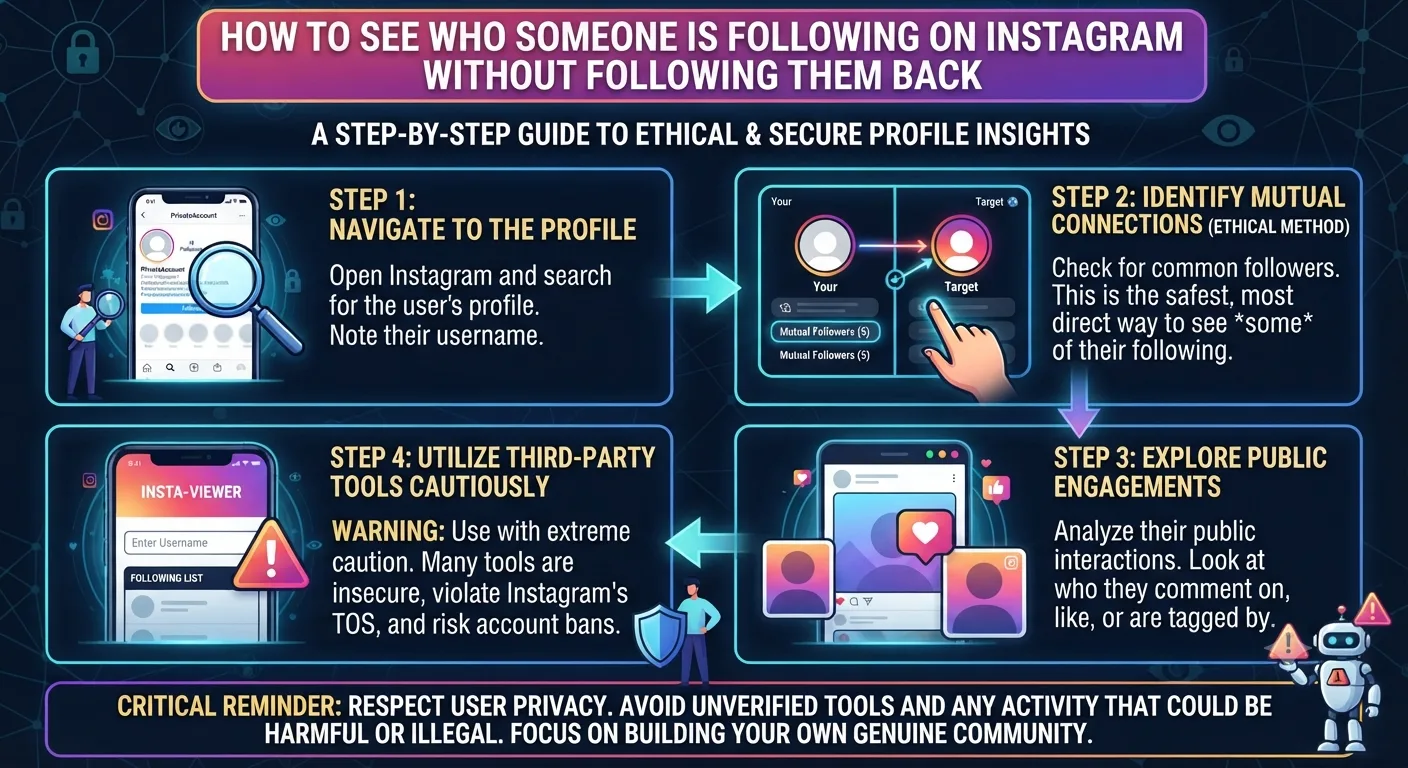
1Go to the public account's profile via search or visiting their username directly.
2Look for the Following count near the top of the page, typically alongside their Followers count.
3Tap the following number. This will reveal a scrollable list of all the accounts they follow on Instagram.
4Scroll through the list or use the search feature on the following list to find a specific account.
Note that this method only works while logged into your Instagram account, and if you're not logged in, say on a browser, Instagram progressively makes this data behind a login, which is where an anonymous viewer tool may help.
How to View a Following List Anonymously
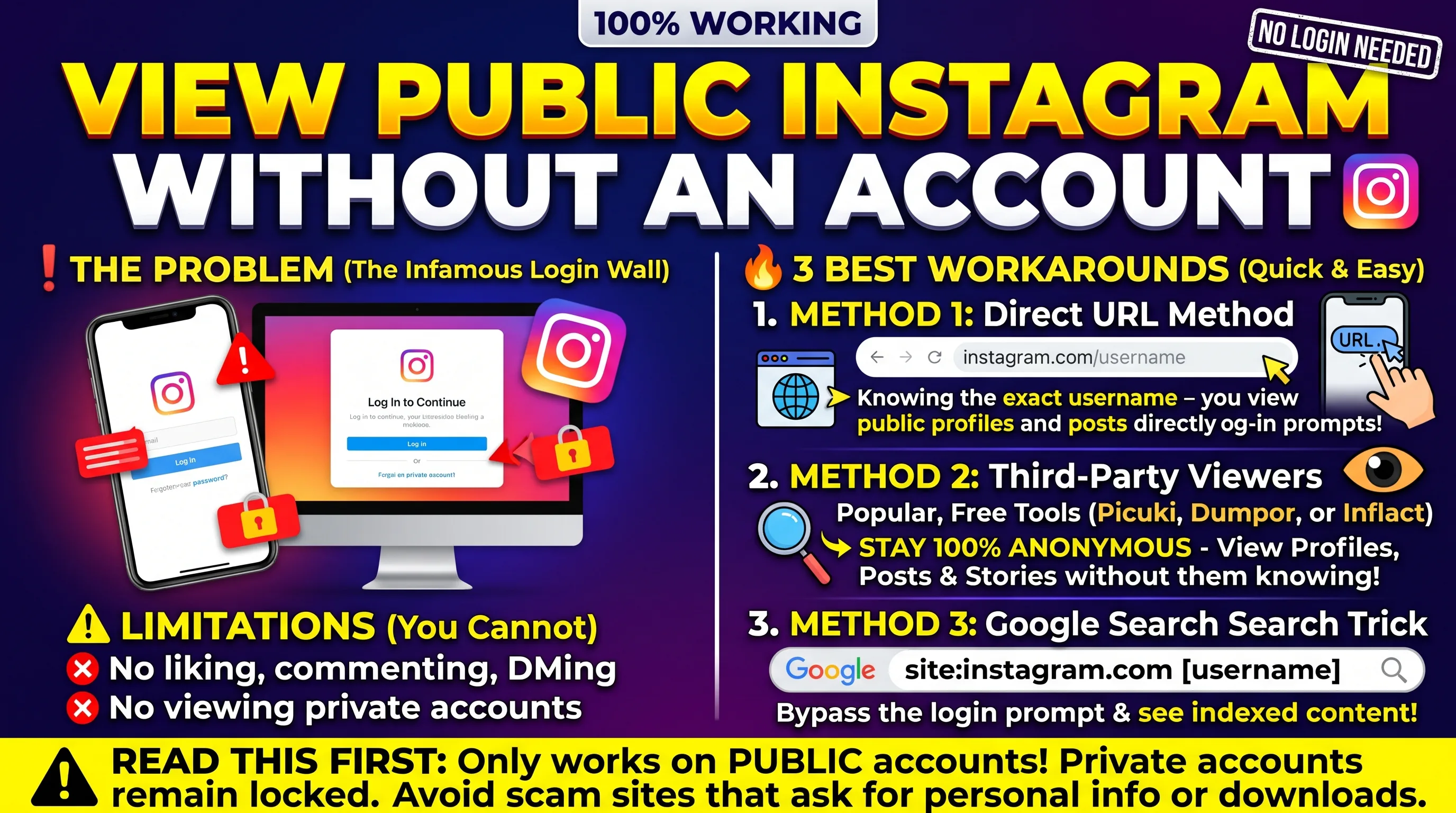
If you want to see who an Instagram account follows, without your own account visiting their profile, or at all if you aren't logged into Instagram, then an anonymous viewer tool can get that data for you through its own server call.
Anonymous Following List Access
1Open an anonymous Instagram viewer tool on your browser
2Input the username of the public profile you want to investigate
3Access that profile's data through the viewer tool. Based on the tool, you may see following list data directly or have to navigate to it.
4Review the following list data, with no trace of your visit on the target account visible in their analytics or activity.
The availability of following data through these third-party tools fluctuates based on what Instagram has permitted them access to at the time, which has varied over the years. If you notice that a tool doesn't show a following list, the best way to still see that data for a public account, is logged into your own Instagram.
Why People Research Following Lists
Use Case 1
Brand Partnership Research
Investigating a brand's following list helps understand the partnerships they've made, who they compete with, and who they view as credible sources within their niche, which helps before reaching out to them for a collab or partnership.
Use Case 2
Journalism and Research
A public figure's following list can provide information about the connections in their lives and work, which can be helpful for further research, especially when combined with statements they've made publicly through the platform.
Use Case 3
Competitive Intelligence
Reviewing a competitor's Instagram following list shows who they view as credible sources, potential partners, and who they directly compete with in the space, which informs your own strategy.
Use Case 4
Personal Verification
Outside of the professional use cases, some people simply check out the following list of an account to verify someone's authenticity, or to make sure that someone genuinely has the interests that claim to have before connecting with them.
Something to note about Instagram following lists is that they are not in chronological order in any way. Whether logged into the account or using an anonymous viewer tool, people aren't listed in the order that they were followed, instead the list is randomized in some instances or alphabetized, but never in the order that following occurred. If you need to know when a specific account was followed, there's no way to know, as of 2021, Instagram made the following list no longer sortable by most recent follow.
Key Takeaways
Public Instagram accounts' following list is visible by tapping their Following count, no follow relationship required Private account following lists are only visible by approved followers, and there is no way to get around this restriction An anonymous viewer tool allows investigation of public account following lists, while leaving no trace of investigation on the target account Common use cases for looking up who someone follows include brand partnership research, journalism, competitive research, and personal verification of an account's interests Instagram following lists are not sorted by most recent follow, this feature was deprecated by the platform in 2021, and has not returned
Frequently Asked QuestionsCan you see who someone follows on Instagram without following them?
Yes! You can see who a public Instagram account follows by going to their profile, and tapping the Following count. Unlike with other platforms, there is no requirement to follow someone on Instagram to see who they follow. For private accounts however, you will need to be an approved follower to access this information, as with most Instagram restrictions.
Does Instagram inform someone when you view their following list?
Instagram does not notify someone when you view their following list, whether that's done while logged into your account or using an anonymous viewer tool.
Can you see the following list of a private account you don't follow?
No. Private account data such as a following list is only accessible to approved followers. There is no method available to access private Instagram data without being approved as a follower, as that access is restricted at the data level by Instagram itself.
Why can I not see someone's following list when I visit their profile?
This issue generally occurs when you're not logged into your Instagram account when visiting the target's profile. Since Instagram has progressively restricted the data available to logged out visitors, this will hide certain profile statistics until you log into your own account, or use an anonymous viewer tool that bypasses this restriction.
Is the following list sorted by most recent follow?
No, and that hasn't been the case since 2021. Instagram deprecates the ability to sort following lists by most recent, and changed how these lists are shown. They are now no longer in chronological order, and sorted by some unspecified algorithm. There is currently no way to see when a specific account was followed.