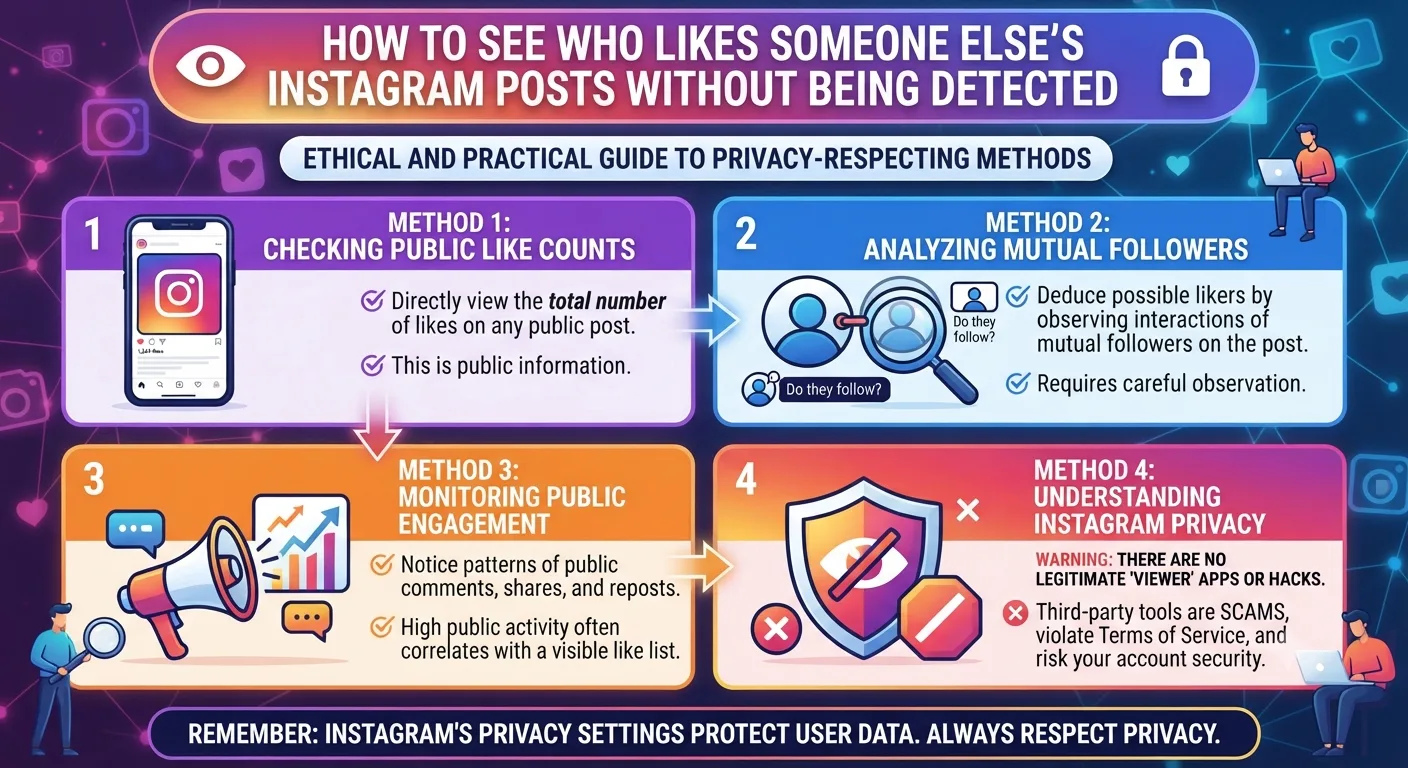
Quick Answer: Yes, you can see who liked someone else's Instagram post if the post is public and you are logged into Instagram. To see who liked someone's Instagram post, click the number below the image to reveal the entire list of accounts. To see who liked someone else's Instagram post without your account being involved or notified, an Instagram viewer tool displays public post engagement data anonymously.
Seeing who liked someone's Instagram post is a surprisingly complex question in 2026. Instagram's decision to make likes on posts disappear in 2021 led to a complicated set of visibility rules surrounding who can see what. As you'll see below, who gets to see who liked someone else's Instagram post depends on whether the post is private or public and whether the account owner has chosen to hide their like count.
The following section provides a comprehensive overview of the conditions under which you can see who liked someone else's Instagram post, along with detailed instructions on how to do so and why one might want to do so.
Can You See Who Liked Someone Else's Instagram Post?
It depends on whether the post is on a public or private account and whether the account owner has chosen to hide their like count. If the post is on a public account and the account owner has not hidden their likes, you can see who liked someone else's Instagram post by clicking the number below the image. If the account owner has hidden their like count, you cannot see who liked someone else's Instagram post unless you are a follower of the account.
What Instagram Changed About Likes in 2021
In 2021, Instagram introduced the ability for account owners to hide their post's like count from would-be prying eyes. This was done in the name of reducing social media pressure, giving users the option to hide likes if they so desired. Note that Instagram accounts can choose to hide or not hide their likes - most notably, businesses do not hide their likes as it serves as a sign of social proof to customers browsing their content.
The difference this makes to seeing who liked someone else's Instagram post is that previously, any public post's entire liker list was visible to any Instagram user. Now, if an account owner has chosen to hide their likes, that entire liker list is only visible to the account owner themselves, and not to any other Instagram users who might be trying to look at the post.
The rule in 2026 is that if a public post's likes are visible to you as an Instagram user, you can see the entire liker list by clicking the number below the post's image. If a post's likes are hidden, you cannot see the entire liker list, and if the post is on a private account, you can only see the entire liker list if you follow the account. There is no way to beat Instagram's privacy and data security measures if the post is private. No tool can get around the fundamental limits of Instagram's internal authorization system, which is why no third-party Instagram viewer can let you see someone's Instagram likes if the post is private, or if the likes are hidden by the account owner.
How to View Likes on Someone Else's Post While Logged In
How to See Who Liked Someone Else's Instagram Post on a Public Account
1. Navigate to the public profile of the account whose post likes you want to see
2. Open the post you want to see the likes of. You will see a number below the image or video, denoting how many people have liked the post.
3. Click this number and you will be shown a screen with everyone who liked the post.
You can scroll through the liker list and click the profile of any account that liked the post to view their content. If you do not see a number below the post image and instead see text saying that it has been liked by others, this means that the account owner has hidden their likes and you will not be able to see the post's liker list. One caveat with seeing who liked someone's Instagram post is that you may have now been seen by the account owner whose post you are looking at. If you want to browse post liker lists anonymously, you should use an anonymous Instagram viewer as explained in the next section.
How to View Instagram Post Likes Without Being Detected
If you want to see who liked someone else's Instagram post without the account owner whose post you are looking at knowing that you visited their post, an anonymous Instagram viewer removes you from the equation entirely. This type of Instagram viewer tool accesses the information about the post's likes through its own server, meaning that Instagram does not see your browser attempting to access this information and therefore cannot update the analytics for the post you are looking at. This is useful in a business context if you want to see who liked someone else's Instagram post secretly, for example to see what accounts are engaging with your competitors' content.
This is also useful in a personal context, if you want to see who liked someone else's Instagram post, but do not want to look at the post itself or appear in the analytics for it. This is where an anonymous Instagram viewer becomes useful. The following section explains how to use one.
How to Access Post Like Data Anonymously
1. Open an anonymous Instagram viewer in your browser
2. Enter the username of the account whose post likes you want to see
3. Navigate to the post you want to see the likes of
4. If the post's likes are visible, the anonymous viewer will show you the number of likes and potentially the liker list, depending on the tool and whether the post's likes are hidden or not.
What the Liker List Tells You Strategically
The liker list on someone else's Instagram post is crucial for marketer research, as it shows you the engaged audience within a niche. Put another way, the accounts that like a post on a topic are the most interested in that topic, due to their demonstrated behavior. This makes these audiences prime targets for engagement, as they are already interested in similar topics and are likely to engage with your content in turn.
The engaged audience on someone else's Instagram post can be targeted by following everyone on that post's liker list and cross-posting engaging content that appeals to the niche audience that the post is targeting. In this way, seeing who liked someone else's Instagram post is a springboard to discovering that post's engaged audience and targeting them for your own engagement.
Liker lists of posts on a particular topic also serve to highlight partnership networks and identify other accounts that operate within the same sphere as you, even if they do not appear to at first glance.
Why Some Posts Say "Liked by Others"
There are three reasons why you may be seeing the message "liked by others" instead of the expected number of likes for a given post. Either the account owner has hidden their likes, you are looking at the post while not logged into Instagram, or the post has few likes and Instagram is displaying a reduced set of likes for performance reasons.
With regard to brand insights, the engaged audience on a post is essential for understanding who engages with certain topics on Instagram. By analyzing who likes other accounts' posts, marketers can find engaged audiences with a demonstrated interest in a topic and target them for engagement. This is how seeing who liked someone else's Instagram post can be used to benefit a business, by identifying the engaged audience on a post and reaching out to them in turn. The post's engaged audience is, quite literally, a list of potential customers that the business can engage with for product promotion, partnership, and other purposes. This is why the liker list on someone else's post is such a valuable piece of information that most people do not realize is freely available to them.
Key Takeaways
You can view the liker list of any public Instagram post that has not disabled the option to view who has liked their media by clicking on the like counter below the post.
Instagram’s 2021 likes privacy update causes some public posts to not have an open liker list view option available even with a public account.
Private account posts cannot be viewed or interacted with by anyone that has not been approved to follow the account, regardless of any other factors.
The anonymous viewer feature lets you check out public post engagement metrics without having your account or activity in any way connected to the inspection.
The liker list is essentially an engagement goldmine; the most common accounts to appear in competitor’s like lists are the best target audience options available in one’s niche.
There is no possible way around the likes privacy update or private account limitations because they happen on a database level, not a website frontend level.
Frequently Asked Questions
Can you see who likes someone else Instagram?
For all public Instagram accounts that have not disabled the option to see who has liked their posts, you can view their liker lists by clicking the like counter found below each post. This will open an expanded view showing the list of accounts liking the inspected media. On the other hand, if the owner of the post has disabled like visibility or has a private account, this option will not be available.
Does the post owner know you checked their Instagram liker list?
It is not possible that the owner knows about this activity. Instagram sends out no notification when someone interacts with the like counter of a post. You may appear in the viewer’s profile visit statistics if you viewed their profile while checking out their content, but there is no notifcation related to the liker list inspection directly. By using an anonymous viewer tool, you can inspect the list without interacting with the post owner’s profile at all.
Can you see who liked a post on a private Instagram account?
You can see who liked a post on a private Instagram account only if you are an approved follower of that account. Any post and story content from private Instagram accounts is unavailable to users that have not been granted access to view them. This includes inspecting engagement metrics such as who has liked a post.
Why can I see the number of likes but not who liked a post?
This happens when you are not logged in to your Instagram account when viewing someone else’s post. This is because Instagram disables some engagement options for logged-out visitors. Another reason is that the post owner may have partially disabled likes privacy by adjusting their account settings. This causes some users to see only the counter and not the liker list.
Can you see who liked an Instagram post after a long time?
Yes, you can see who liked an Instagram post at any given time after it has been published. There is no built-in limitation in the platform preventing users from inspecting older posts. All public Instagram post liker lists can be viewed indefinitely.