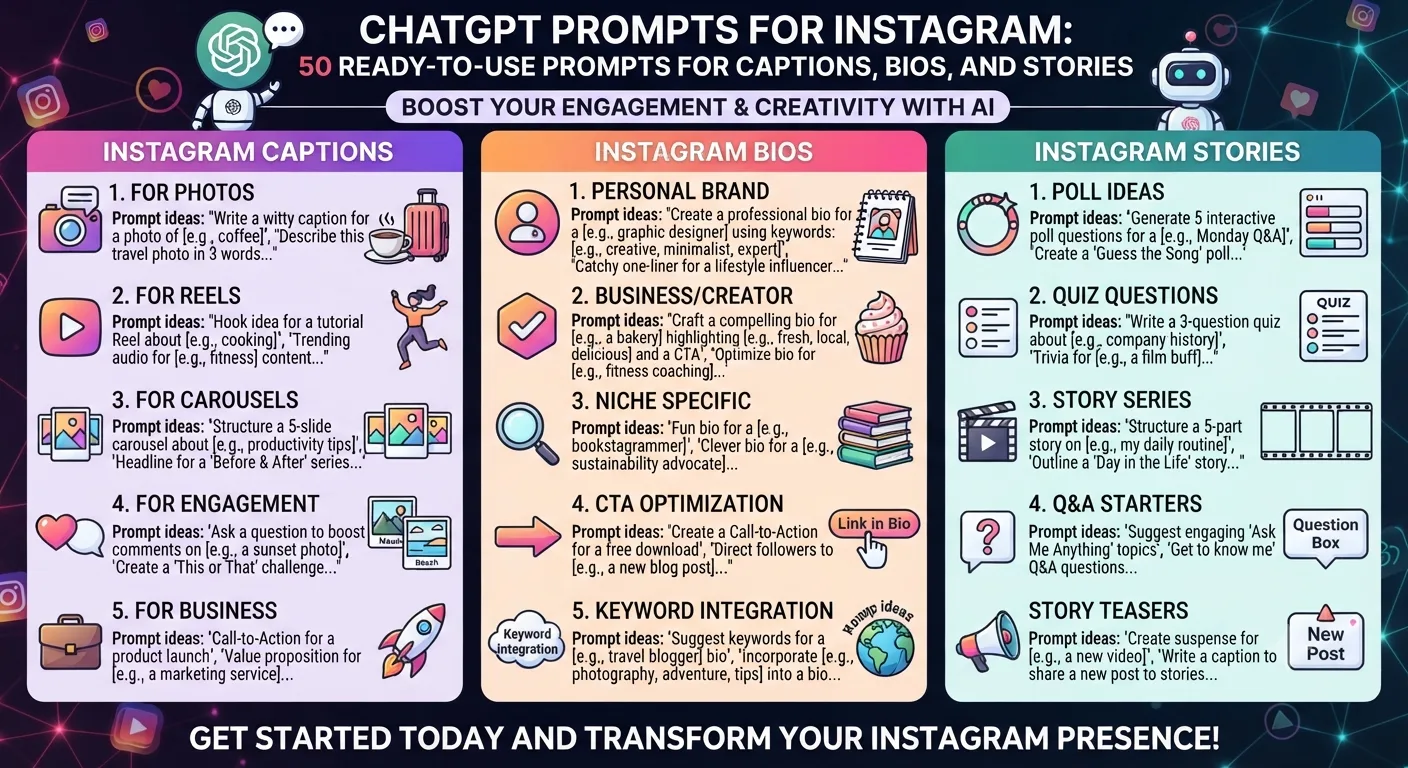
Quick Answer: The best ChatGPT prompts for Instagram are detailed and specific to the intended tone, audience, format, and purpose. Vague prompts will create vague output. The prompts that include the specific niche, audience, desired action, and tone, generate first drafts that generally need only minor edits. The 50 prompts below include every major type of content needed on Instagram.
Generic ChatGPT prompts create generic Instagram captions. The reason why a caption written by an AI tool sounds like every other AI caption is almost always because the prompt that generated it was also generic. Most creators who are upset with the results they are getting from AI-generated captions are using prompts that are too vague to elicit any specific response.
Each prompt below is designed to be copied and pasted with the specific details you want in brackets. The structure of the prompt is what makes it work, not any particular wording.
Section 1: Caption Prompts (15 Prompts)
Caption 1 – EducationalWrite an Instagram caption for a [niche] account teaching [audience] about [topic]. Make it begin with a hook that states an interesting fact. Include three actionable tips. Finish with a question to encourage comments. Tone: [describe tone]. Under 200 words.
Caption 2 – Story-ledWrite an Instagram caption that begins with a personal story about [experience] that ties into [lesson or insight relevant to your niche]. The audience is [describe audience]. Your tone should be conversational, first person. Finish with a save prompt.
Caption 3 – Contrarian takeWrite an Instagram caption that presents the contrarian take on [common belief in your niche]. Defend your position with [type of reasoning or evidence]. Your tone should suggest confidence, but not aggressiveness. End with a debate-inviting question.
Caption 4 – List formatWrite an Instagram caption that presents [number] things [audience] should stop doing if they want [desired outcome]. Format the caption as a numbered list. Begin with a hook. End with a call to share.
Caption 5 – Before and afterWrite an Instagram caption that describes the journey from [before state] to [after state] in [niche]. Make the before relatable and the after aspirational. Tone: [describe]. End with a question asking followers where they are in this process.
Caption 6 – Product featureWrite an Instagram caption introducing [product or service] to an audience of [describe audience]. Focus on a single benefit, not a list of features. Use descriptive language, not selling language. End with a CTA to [desired action].
Caption 7 – Behind the scenesWrite an Instagram caption that provides behind-the-scenes context for [what you do or create]. Make the audience feel like they’re getting insider info. Your tone should be warm, personal. Include one fun fact most would not know about you or your process. End with a follow prompt.
Caption 8 – Engagement bait (legitimate)Write an Instagram caption about the topic of [topic] that ends with a this-or-that question relevant to [niche]. The question should pertain specifically enough to the niche that only a real follower would have an opinion on it. Under 100 words.
Caption 9 – Relatable frustrationWrite an Instagram caption about a frustrating experience [audience] commonly have with [problem in your niche]. Make it highly relatable. Tone: empathetic with a touch of humor. End with the insight or solution your account provides. Include a friend tag CTA.
Caption 10 – Trending topic tie-inWrite an Instagram caption that connects [current trend or cultural moment] to [your niche]. The connection should feel authentic and not forced. Audience: [describe]. Tone: [describe]. Under 150 words.
Caption 11 – Myth busterWrite an Instagram caption that addresses the myth that [common misconception in your niche]. State the myth in the first line. Explain why it’s false in two to three sentences. Present the correct information. End with a save prompt.
Caption 12 – InspirationalWrite an Instagram caption for [niche] that is genuinely inspirational without being cliché. Avoid empty phrases. Make the motivation tangible by relating it to a specific insight about [audience’s challenge]. Tone: [describe]. Under 120 words.
Caption 13 – Data-ledWrite an Instagram caption that begins with a surprising stat about [topic relevant to your niche]. Explain what this means to [audience]. Suggest one specific reaction to the statistic. Cite a source category. Under 180 words.
Caption 14 – Q and AWrite an Instagram caption that takes the form of a question-and-answer. Begin with a question [audience] commonly ask about [topic]. Answer it in three to four sentences. Ask the audience to comment their own question. Tone: [describe].
Caption 15 – Seasonal or timelyWrite an Instagram caption tied to [season, event, or time of year] that relates to [your niche] in a specific way rather than a generic way. Look for an unusual connection to make. Tone: [describe]. Under 150 words.
Section 2: Bio Prompts (10 Prompts)
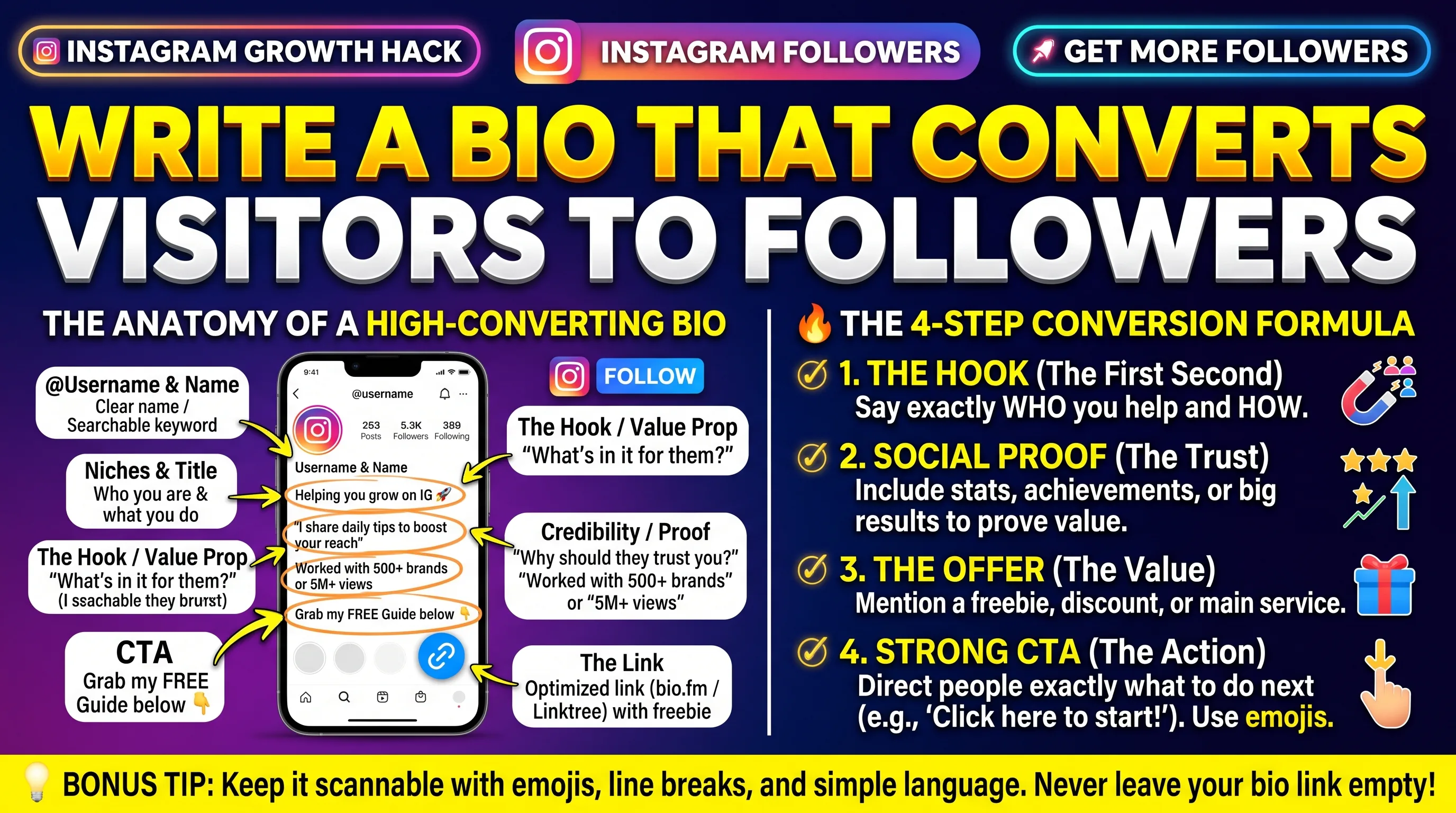
Bio 1 – CreatorWrite an Instagram bio for a [niche] creator who helps [audience] achieve [outcome]. Include what they do, who they help, and one proof point or credential. Include a CTA to the link in bio. Under 150 characters.
Bio 2 – BrandWrite an Instagram bio for a [type of business] brand that sells [product or service] to [audience]. The tone should be [describe]. Focus on the transformation, not the features. Under 150 characters.
Bio 3 – Personal brandWrite three variations of an Instagram bio for [name], a [profession or role] who creates content about [niche topics]. Each version should have a different tone: professional, conversational, and bold. All under 150 characters.
Bio 4 – Niche specialistWrite an Instagram bio that immediately makes it clear this account is for [very specific audience segment]. Use language that makes this person feel like they’ve found the right place. Under 150 characters. Include one emoji if brand-appropriate.
Bio 5 – Authority positioningWrite an Instagram bio that establishes credibility for a [profession or expert type] without sounding arrogant. Include one specific achievement or credential, one thing they help their audience with, and a CTA. Under 150 characters.
Bio 6 – Community buildingWrite an Instagram bio for an account that builds community around [topic or identity]. Focus less on individual credibility and more on the qualities of the group itself. Make the audience feel like this is for them. Under 150 characters.
Bio 7 – Curiosity hookWrite an Instagram bio that leads with a provocative or curiosity-generating statement about [niche] rather than a standard description. The statement should compel someone to follow immediately to find out what it means. Under 150 characters.
Bio 8 – Value propositionWrite an Instagram bio that leads with the value a follower gets from this account rather than who the creator is. Position the value first, then the credentials. Niche: [describe]. Audience: [describe]. Under 150 characters.
Bio 9 – Humor-ledWrite a funny but brand-appropriate Instagram bio for a [niche] account whose audience enjoys [type of humor]. The humor should be specific to the niche rather than generic. Under 150 characters. Avoid puns unless genuinely clever.
Bio 10 – MinimalistWrite a minimalist Instagram bio for a [niche] account. Three lines max. Each line should pack a punch. No fluff. No generic phrases. Under 80 characters total. Tone: [describe].
Section 3: Story Series Prompts (10 Prompts)
Story 1 – Five-part tutorialWrite a 5-slide Instagram story series teaching [audience] how to [do something specific in your niche]. Each slide should address one aspect. Slide 5 should include a poll asking which was the most useful. Keep each to 2 to 3 sentences.
Story 2 – Day in the lifeWrite a 6-slide Instagram story series that shows a day in the life of a [creator type or role]. Each slide covers a different part of the day. Make it genuine, not aspirational. End with a question to the audience.
Story 3 – Myth vs factWrite a 4-slide Instagram story series on [topic in your niche] using the myth vs fact format. Slide 1 sets up the series. Slides 2 and 3 present one myth/fact each. Slide 4 asks viewers to vote on a related poll.
Story 4 – Behind the scenesWrite a 5-slide Instagram story series that gives viewers behind-the-scenes access to [process, event, or creation]. Make each slide a specific secret rather than a general overview. Include one fact most would not know. End with a DM invite.
Story 5 – Audience Q and A setupWrite the opening slide text for an Instagram story Q and A session on [topic]. The opening should be designed to get a high response rate by presenting the question invitation in an enticing way. Under 3 sentences. Include a question sticker suggestion.
Story 6 – Product revealWrite a 4-slide Instagram story series revealing [new product, service, or offering]. Slide 1 creates the setup. Slide 2 explains the problem. Slide 3 presents the product with one key benefit. Slide 4 drives to link or DM.
Story 7 – This or that poll seriesWrite 5 this-or-that poll questions for Instagram stories related to [niche]. Each question should be specific to the niche, debatable, and interesting enough that people want to see the results. No generic lifestyle questions.
Story 8 – Trending topic reactionWrite a 3-slide Instagram story series reacting to [current topic or trend in your niche]. Slide 1 introduces the topic briefly. Slide 2 presents your perspective with one specific insight. Slide 3 asks for the audience’s opinion. Tone: [describe].
Story 9 – Educational quick tipWrite 5 individual one-slide Instagram story tips on [topic in your niche]. Each tip should be a standalone insight that delivers value in one sentence. Suitable for posting one per day for a week. Niche: [describe]. Audience: [describe].
Story 10 – Community featureWrite a 4-slide Instagram story series template for featuring a community member or customer. Slide 1 introduces the feature. Slide 2 shares their challenge. Slide 3 shows their result or achievement. Slide 4 invites others to submit for the next feature.
Section 4: Reels Script Prompts (10 Prompts)
Reel 1 – Hook-led educationalWrite a 30-second Reel script about [topic] for [audience]. Begin with a hook that creates curiosity in one sentence. Then deliver 3 specific tips in 5 to 7 seconds each. End with a save prompt. No filler words. Every second counts.
Reel 2 – POV formatWrite a Reel script in the POV format for [niche] where the viewer experiences [scenario]. Use second-person pronouns. Make the scenario highly specific and relatable to [audience]. Under 45 seconds. End with a relatable reaction or insight.
Reel 3 – Common mistakeWrite a 30-second Reel script about the most common mistake [audience] makes when [doing something in your niche]. State the mistake in the hook. Explain why it’s a mistake in one sentence. Provide the correct approach. End with a follow prompt.
Reel 4 – TransformationWrite a Reel script showing the before and after of [transformation relevant to niche]. Before state in first 5 seconds. Transition at 10 seconds. After state with key change in remaining time. Under 30 seconds total. Always present tense.
Reel 5 – Three-part frameworkWrite a 45-second Reel script introducing a three-part framework for [achieving something in your niche]. Name the framework. Dedicate 10 seconds to each of the three parts. End with a carousel or save prompt for the full breakdown.
Reel 6 – Controversial opinionWrite a Reel script that begins with a controversial but defensible opinion about [topic in niche]. State the opinion in the first 3 seconds. Spend 20 seconds defending it with one specific argument. End by inviting disagreement in comments.
Reel 7 – Rapid fire tipsWrite a 30-second Reel script that delivers [number] rapid-fire tips about [topic in niche]. Each tip should be one sentence. No explanation. Rapid-fire format assumes an informed audience. End with a save prompt for repeat viewers.
Reel 8 – ComparisonWrite a 45-second Reel script comparing [option A] vs [option B] in [niche]. Give each option 15 seconds. Use the final 15 seconds to declare a winner for [specific use case]. Design for on-screen text captions as the information delivery.
Reel 9 – Talking head scriptWrite a 60-second talking head Reel script where the creator shares [personal experience or insight] about [topic in niche]. Conversational and natural. Avoid bullet points. Should sound like a real conversation with one specific person in the audience.
Reel 10 – Trend adaptationWrite a Reel script that adapts the [name of trending Reel format or audio concept] to the [niche] space. Make the niche connection specific and non-obvious. The connection to the niche should be the creative aspect. Under 30 seconds.
Section 5: Content Idea Prompts (5 Prompts)
Ideas 1 – Monthly calendarGenerate 30 Instagram content ideas for a [niche] account targeting [audience]. Each idea should include: post topic, recommended format (Reel, carousel, single image, or story), and one-sentence caption angle. Organize by content pillar if possible.
Ideas 2 – Competitor gapI create content in the [niche] space. My main competitors cover [topics they cover]. Generate 15 content ideas that address topics they are NOT covering but that [audience] would find valuable. Be specific and avoid generic suggestions.
Ideas 3 – Seasonal campaignGenerate 10 Instagram content ideas for a [niche] account to use during [season, holiday, or event]. Each idea should tie the seasonal moment to the niche in a specific and non-generic way. Audience: [describe].
Ideas 4 – Evergreen bankGenerate 20 evergreen Instagram content ideas for [niche] that will remain relevant for at least 12 months. No trend-dependent topics. Focus on foundational questions, common problems, and perennial debates in the niche. Format suggestions included.
Ideas 5 – Series conceptDevelop three recurring content series concepts for a [niche] Instagram account. Each series should have a clear format, a catchy name, and a specific audience benefit. The series should be sustainable to produce weekly for at least 6 months.
How to get the most from these prompts: Before pasting any of these prompts into ChatGPT, fill in every bracketed placeholder with specific text. The more specific the text in the placeholder, the better the output will be. Add one line at the beginning of every session: “My brand voice is [describe]. My audience is [describe]. Here are 3 example captions from my account: [paste examples].” This voice brief will improve every prompt that follows without needing to repeat it for each individual request.
Key takeaways
Specific prompts create specific output. The quality of AI-generated Instagram content is nearly exclusively dictated by the quality of the prompt. Not the tool, but the prompt.
Front-load every ChatGPT session with a brand voice brief that includes tone description, audience definition, and three example captions. This improves every subsequent prompt without repeating the same information.
The 50 prompts above cover captions, bios, story series, Reels scripts, and content idea generation for any niche or audience type.
Reels script prompts should specify a time limit in seconds and delivery style because AI defaults to overly long and overly structured scripts without these constraints.
Bio prompts require a character limit instruction because Instagram bios have a hard limit. Always include “under 150 characters” in any bio prompt.
Generate multiple versions of any given prompt output before selecting one. Asking for three variations of a caption will give you options that reveal which angle resonates best with your audience.
Frequently asked questions
What makes a good ChatGPT prompt for Instagram captions?
A good caption prompt specifies the niche, the audience, the tone, the format, the desired action from the reader, and a word or character limit. Prompts that include all of these elements consistently produce first drafts that require minimal editing. Prompts that omit any of these produce generic output that could apply to any account in any niche.
Should I use ChatGPT or Claude for Instagram prompts?
Both tools work well with the prompts above. Claude tends to be more nuanced in tone and better for longer captions. ChatGPT is faster for generating multiple variations. The prompts in this guide work with either tool. Many creators use ChatGPT for ideation and variation generation and Claude for final drafting and polish.
How do I make AI captions sound less generic?
Add specificity at every possible point in the prompt: specific niche, specific audience segment, specific tone adjectives, specific content angle. Then add one or two sentences of personal context that only you could provide, a specific experience, a real data point from your own account, or a genuine opinion. This personal layer is what separates AI-assisted content from pure AI content.
How many Instagram captions can I generate with ChatGPT in one session?
There is no firm limit on the number of captions per session, though very long sessions with many prompts may encounter context limitations in the free tier. In practice, most creators find that a 90-minute focused session with clear prompts is sufficient to generate first drafts for an entire month of content across all content pillars.
Is it ethical to use AI-generated captions on Instagram?
Yes. Using AI as a writing tool is not deceptive as long as the content is accurate and genuinely represents your perspective. The ethical standard that matters is truth in content, not origin of drafting. A caption drafted by AI that you have reviewed, edited, and published as your genuine perspective meets the same ethical standard as a caption written entirely by hand. Deception would occur if AI-generated content claimed experiences or credentials that are not real, regardless of the tool used to write it.