Most creators and brands spend months figuring out their Instagram strategy through trial and error. They post inconsistently, change their niche three times, and never develop a clear content system that can be repeated and improved. The result is slow growth and burnout from constantly reinventing what to post.
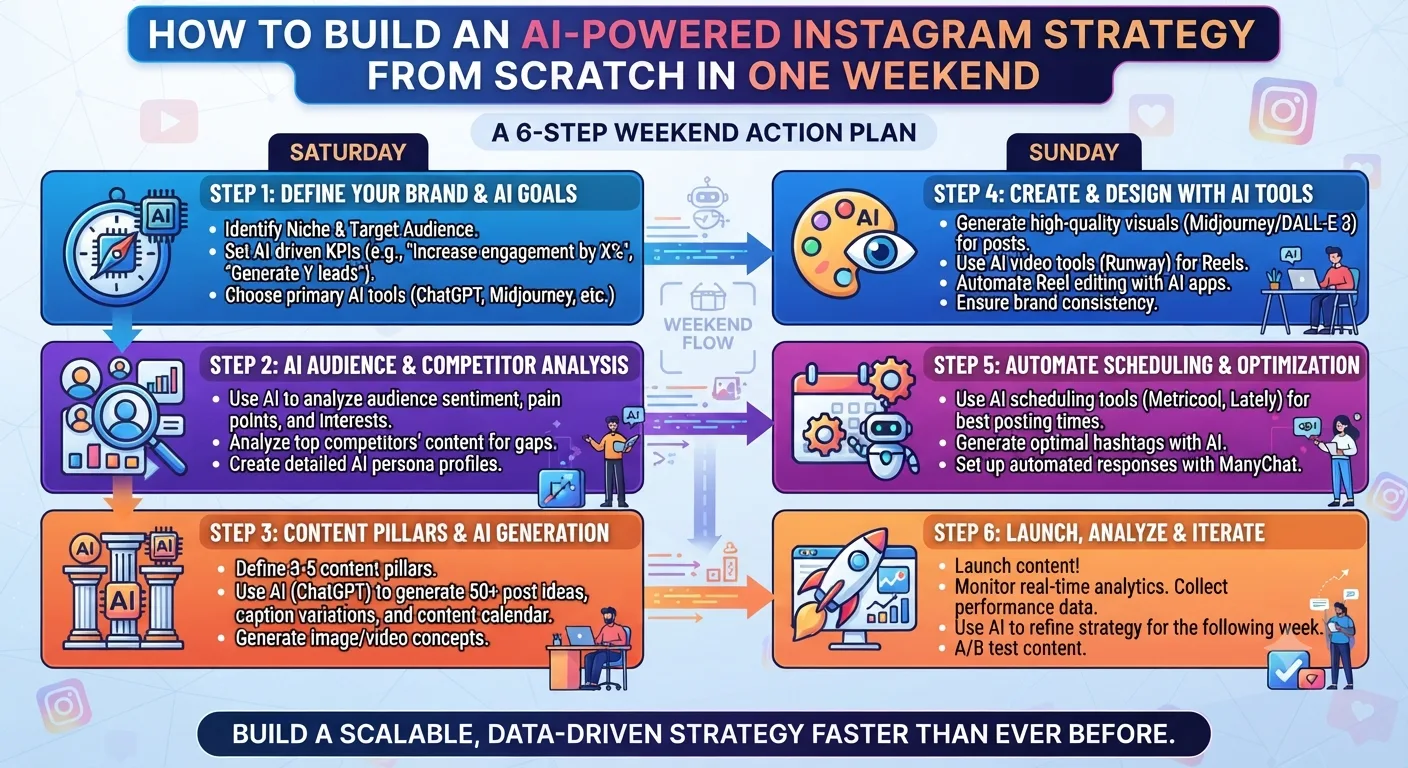
AI tools make it possible to collapse this process into a single focused weekend. Not because AI does the thinking for you, but because it eliminates the research, drafting, and production bottlenecks that previously made strategy-building slow. Here is the complete weekend plan.
Before You Start: What You Need
Access to ChatGPT or Claude for research and planning, Claude for caption writing, Later or Buffer for scheduling, and a clear sense of what topic or niche you want to build around. You do not need professional photography, video editing skills, or a large budget. The weekend plan works for new accounts, existing accounts that need a reset, and brands launching an Instagram presence for the first time.
Morning: Niche and Audience Research with AI
Open ChatGPT and begin your niche research session. Your goal is to get clarity on three things: who your target audience is, what they are already looking for on Instagram, and what content gaps exist in your niche that are not being served well by current accounts.
Use this prompt structure to start: "I want to build an Instagram account in the [your topic] space. My intended audience is [describe them]. What are the top 10 questions and pain points this audience has that Instagram content could address? What types of content perform best in this niche and what is consistently missing or underdeveloped?"
ChatGPT will return a structured analysis. Save the output and look specifically for pain points and content gaps because these are the areas where you can build authority fastest by filling a need that is not already well-served.
Late Morning: Competitive Intelligence
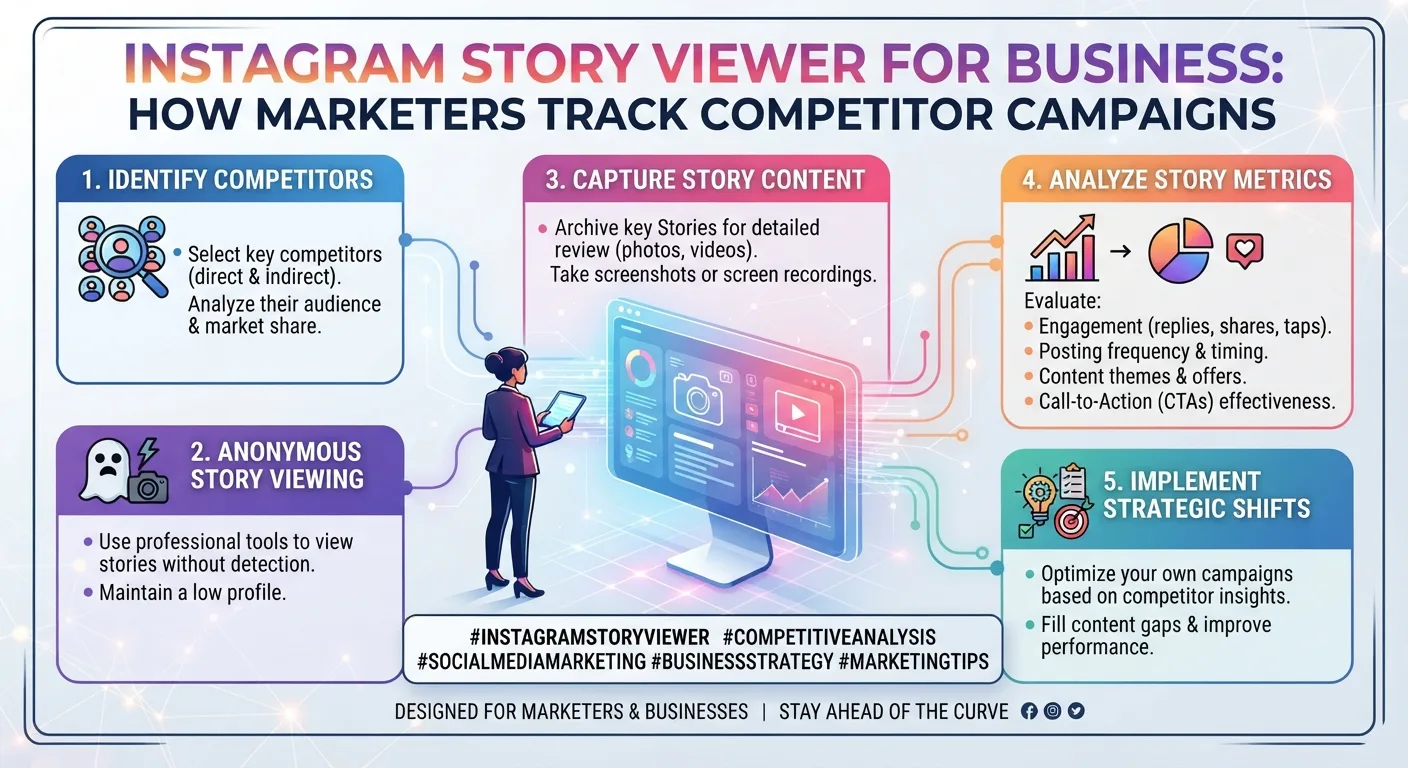
Use an anonymous Instagram viewer tool to browse five to ten accounts in your niche without them knowing you are watching. Look at their highlight collections to understand what topics they build content around, which posts have high engagement based on visible like and comment counts, what their posting frequency and format mix looks like, and where their content feels weak, generic, or repetitive.
Take notes on what you want to do differently or better. The gaps in competitor content are your opportunity areas. Feed these observations into ChatGPT: "Based on this competitive analysis of my niche, what three content angles are underserved that I could own as a distinctive point of view?"
Afternoon: Define Your Content Pillars
Using what you have learned from the research session, define three to four content pillars that will anchor your Instagram strategy. Content pillars are the recurring topic categories your account covers consistently. Every post you ever make should fall into one of these pillars.
Good content pillars are specific enough to be distinctive but broad enough to generate unlimited post ideas. Use Claude to pressure-test your pillar choices: "Here are my proposed content pillars for an Instagram account in [niche]: [list them]. Evaluate whether these pillars are specific enough to be memorable, broad enough to sustain long-term content generation, and differentiated from what competitors are already doing well."
Late Afternoon: Build Your Brand Voice Document
Write a one-page brand voice document that you will use to brief AI tools throughout your content creation process. It should include your tone description in three to five adjectives, your target audience in one paragraph, five examples of writing you consider on-brand even if from sources outside your own account, words and phrases you use often, and words you never want in your captions.
This document becomes your AI briefing prompt for every caption-writing session. Investing an hour in it on Saturday saves time and editing on every piece of content you produce afterward.
Morning: Build Your 30-Day Content Calendar with ChatGPT
Open ChatGPT and use your content pillars and brand voice document to generate your first 30-day content calendar. Use this prompt: "I have an Instagram account in [niche] with these content pillars: [list them]. My audience is [describe them]. Create a 30-day content calendar with one post per day. For each day include the content pillar, a specific post topic, the recommended content format (Reel, carousel, single image, or text graphic), and a one-sentence caption angle. Format as a numbered table."
Review the output and make any adjustments to topics that do not fit your vision or that duplicate each other. Once the calendar feels right, copy it into your Notion workspace or a spreadsheet. This becomes your master content brief for the month.
Late Morning: Write Caption Templates with Claude
Brief Claude with your brand voice document, then work through the 30-day calendar writing caption drafts. Batch this by pillar rather than by day. Write all ten captions for Pillar 1 first, then Pillar 2, and so on. Batching by pillar keeps Claude in the right tone mindset for each content category.
Do not try to write every caption perfectly in this session. Get solid first drafts for all 30 pieces. You will refine them during your weekly editing session before they go live. Spending six hours on five perfect captions is less useful than having thirty solid drafts ready to schedule.
Afternoon: Set Up Your Scheduling Tool
Create your Later or Buffer account if you have not already. Connect your Instagram account through the official OAuth flow, not by entering your password directly into the tool. Upload your first two weeks of content into the scheduler along with the corresponding captions.
Use the AI posting time recommendation from your scheduling tool to assign optimal publish times to each piece of content. For a new account with no historical data, start with the tool's general recommendations for your content category and refine based on your own data after the first two to three weeks of posts.
Late Afternoon: Set Up Your Analytics Baseline
Before your first post goes live, take screenshots or record the baseline metrics for your account. Follower count, profile visits over the last 30 days, average reach per post, and average engagement rate. You will compare these numbers at the end of each month to track whether your AI-powered strategy is producing measurable improvement. Without a baseline, you cannot measure progress.
What You Have at the End of the Weekend
- A defined niche, target audience, and content positioning that is differentiated from competitors.
- Three to four content pillars that will anchor every piece of content you create.
- A brand voice document that makes every AI caption-writing session faster and more consistent.
- A 30-day content calendar with specific topics, formats, and caption angles for every post.
- First drafts of 30 captions ready for refinement and scheduling.
- A scheduling workflow set up and your first two weeks of content queued to publish automatically.
- A baseline analytics snapshot to measure progress against.
Key Takeaways
- Saturday is for research and architecture: niche research with ChatGPT, competitive intelligence through anonymous viewer tools, content pillar definition, and brand voice documentation.
- Sunday is for production and setup: building the 30-day calendar with ChatGPT, writing caption drafts with Claude, setting up the scheduling tool, and establishing an analytics baseline.
- Batching caption writing by pillar rather than by day keeps the tone consistent and reduces context-switching during the drafting session.
- The brand voice document is the highest-leverage investment of the weekend. It makes every subsequent AI caption session faster and more accurate.
- By Sunday evening you have a complete, scheduled, ready-to-execute 30-day Instagram strategy built with AI assistance and your own strategic judgment.
- Ongoing weekly maintenance takes 2 to 3 hours once the system is established.
Frequently Asked Questions
Do I need to be a professional creator or marketer to follow this weekend plan?
No. The plan is designed for anyone building an Instagram presence, including complete beginners. The AI tools handle the production-heavy tasks and the structured prompts guide you through each step. What you need is clarity about your niche and willingness to commit the two days to the setup process.
How many hours does the full weekend plan actually take?
Realistically, six to eight hours on Saturday and six to eight hours on Sunday for a thorough implementation. You can do a lighter version in less time by focusing on the essential outputs, the content calendar, the caption drafts, and the scheduling setup, and building the brand voice document and competitive analysis more briefly.
What if I already have an Instagram account with an existing content history?
The plan works equally well as a reset for existing accounts. Start Saturday with an audit of your own account using your insights data to identify which existing content has performed best. Use that data to inform your pillar and voice decisions rather than starting from zero. Your historical performance data is more valuable than any general research for understanding what resonates with your specific existing audience.
Can this plan work for a brand rather than a personal creator account?
Yes. The structure is the same. The brand voice document step becomes especially important for brands because consistent tone across a team is harder to maintain without a written reference. The competitive intelligence step should include both competitor brands and creator accounts in the relevant niche, since creators often set the content style expectations that audiences apply to brands in the same space.
What happens after the first 30 days of this plan?
Review your performance data at day 30 and identify which content pillars, formats, and topics drove the most engagement, reach, and follower growth. Use those insights to refine your pillar balance and content calendar for month two. Repeat the caption-drafting and scheduling process monthly, making data-driven adjustments to your strategy each cycle rather than guessing what to change.